The Payment Certificate Bottleneck
- 1Preparing a payment certificate means manual BOQ-to-spreadsheet reconciliation every month
- 2Retention, advance recovery and variation adjustments are calculated by hand, and errors delay payments
- 3Consultants reject certificates because supporting documentation is incomplete or inconsistent with the BOQ
Arkan Payment Certificates & IPCs Capabilities
BOQ-Linked Progress
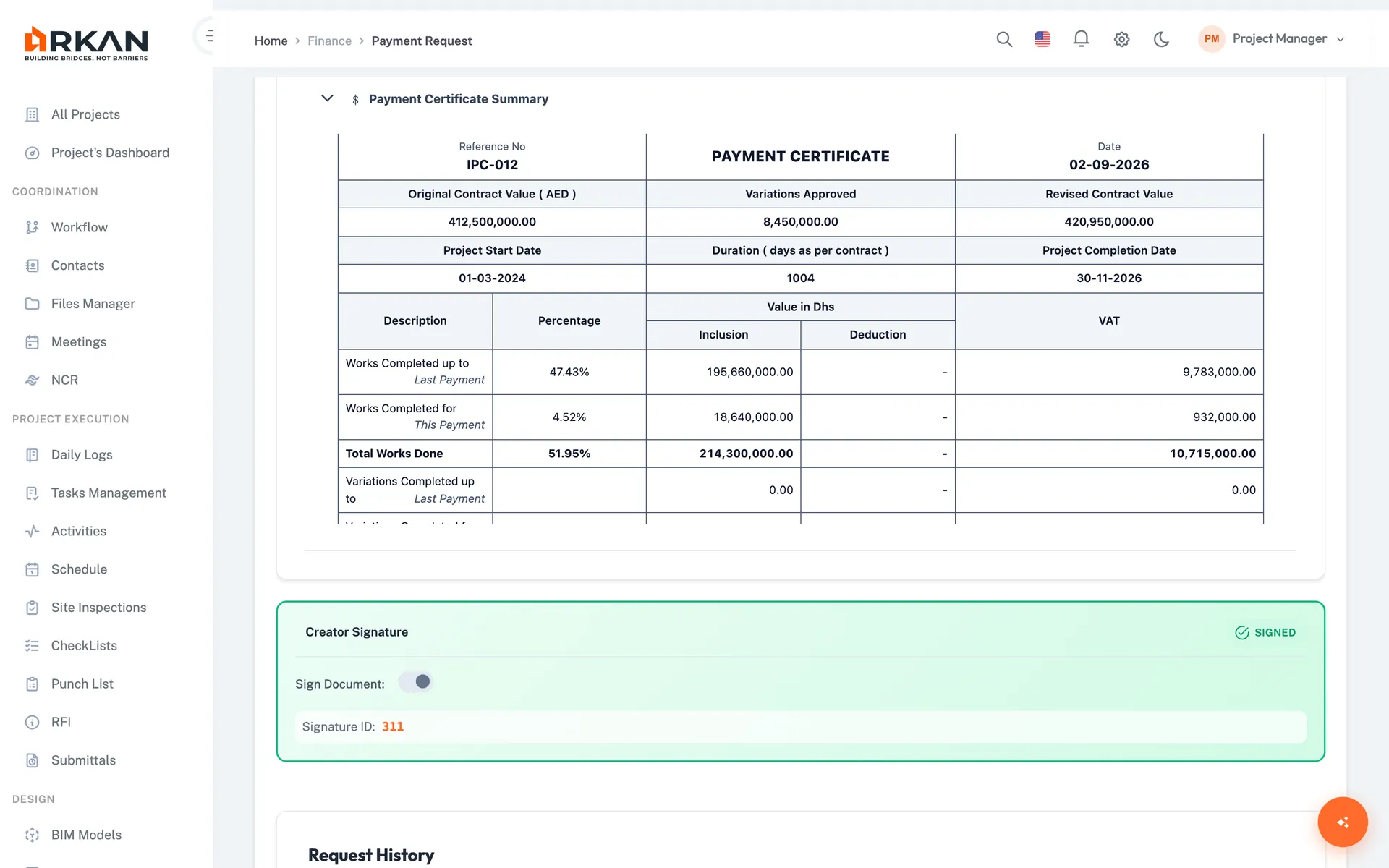
Select BOQ items for the payment period and import progress from inspection reports. The summary shows total work done, certified amount, overall progress and net payable.
4-Step Payment Request Wizard
Main information, BOQ selection, advance payments, and preview & submit. Changing the payment period reloads contract values, variations and previous payments.
Advance Payments, Retention & VAT
Link mobilization and material advances and set recovery amounts. The payment summary shows retention and VAT deductions, and retention releases are tracked separately.
Certification & Approval
Confirm accuracy with the certification checkbox and digital signature, then submit to the approval workflow. Submit stays disabled until every validation passes.
Simple 4-Step Process
Start: Enter issue date, payment number and payment period
Select: Pick BOQ items and import progress from inspections
Recover: Link advance payments and set recovery amounts
Submit: Review the certificate summary, sign and send for approval
At a Glance
Wizard Steps
4
Main info, BOQ selection, advance payments, preview & submit
Deductions
Retention & VAT
Shown in the payment summary before submission
Submission Check
Validated
Submit is enabled only after all checks pass and the request is certified
Works seamlessly with other Arkan features
Payment Certificates & IPCs integrates with BOQ Management, Financial Management, Inspection Management and more for a complete construction management solution.
Related Features
Explore other features that work great with Payment Certificates & IPCs