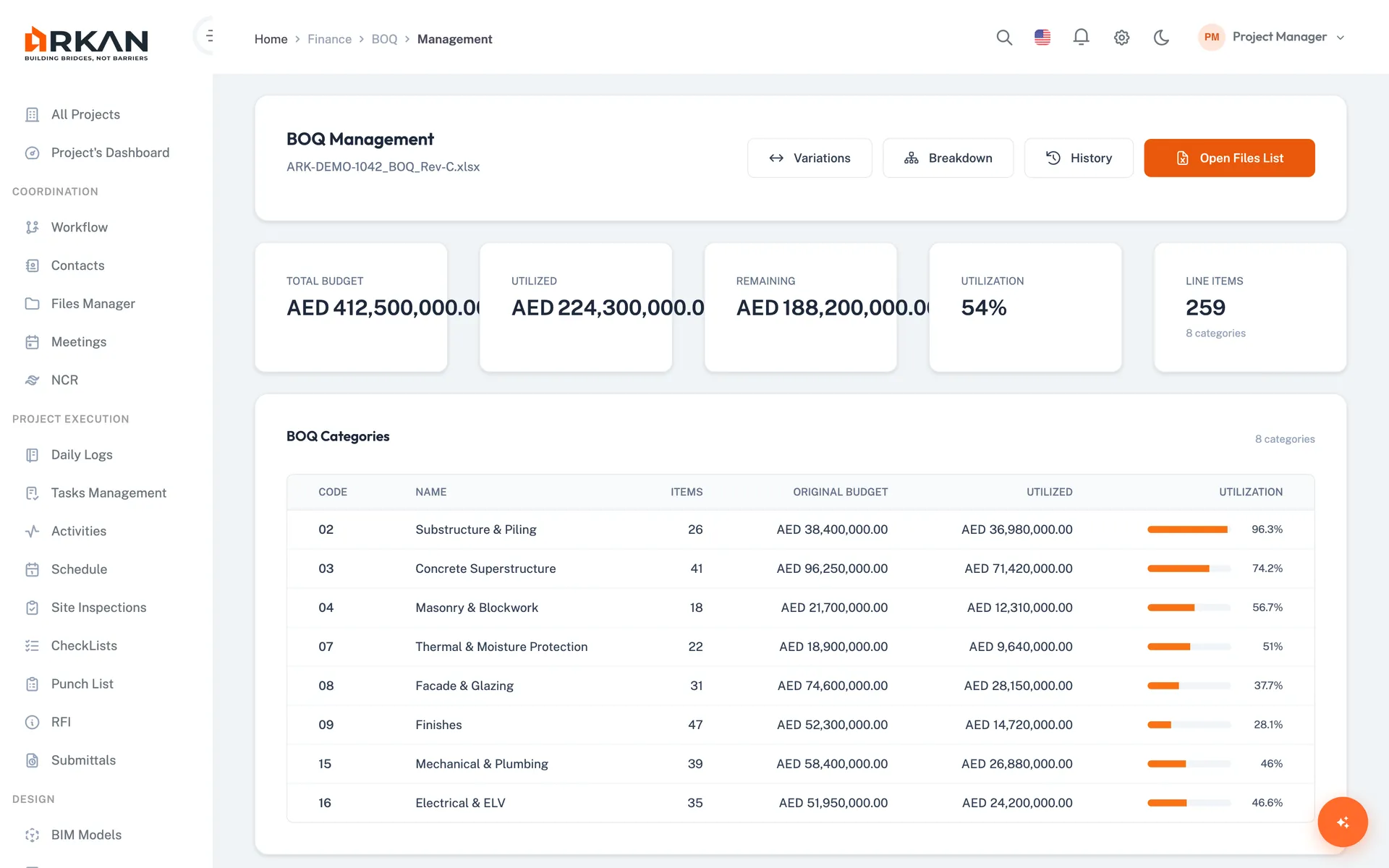
What is a BOQ (bill of quantities)?
BOQ is the short form of bill of quantities: a table that lists the items of work in a project, each with a description, a unit, a quantity and a rate, so the contract value can be priced, measured and paid item by item. Contractors price from it at tender stage, and quantity surveyors use it afterwards to measure progress and value variations.
On a live project the BOQ is the link between the work and the money. Work is inspected against BOQ items, the approved progress goes into a payment request (an interim payment certificate, or IPC, called a مستخلص in Arabic), and the request shows retention, advance payment recovery and VAT before it goes for approval. Arkan keeps that chain in one place: import the BOQ from Excel, record variations against its items, link inspections, build the payment request from the items being claimed, and keep a history of every change.
Arkan works with the BOQ your quantity surveyor prepared. It is not a quantity take-off tool, so it does not measure quantities from drawings.
The BOQ Breakdown
- 1Multiple Excel versions, no single source of truth
- 2Progress updates require manual calculations
- 3Variations create parallel spreadsheet universes
- 4No audit trail of who changed what and when
- 5Payment calculations disconnect from BOQ reality
Arkan BOQ Management Capabilities
Excel Import
Guided 4-step import from .xls or .xlsx files
Column mapping, preview and validation before import
Hierarchical Structure
Multi-level parent-child relationships
Cost distribution by WBS
Item Tracking
Item number, description, unit, quantity, rate, price
Lumpsum, Normal, Fixed, Provisional cost types
BOQ Breakdown
Distribute parent items into detailed sub-items
Variance alerts with auto adjust, lock when final
Variation Management
Additions, omissions, adjustments
Approval workflow, value impact, compare with original
BOQ Transaction History
Full change and transaction history for every BOQ item
Post, lock, transfer and change amounts, with every change recorded
Simple 4-Step Process
Import: Upload BOQ from Excel with column mapping and validation
Structure: Organize into hierarchical items and sub-items
Track: Monitor breakdowns, variations and budget health
Review: Access the full change and transaction history
At a Glance
Import Steps
4
Upload, column mapping, validation and import
Variation Types
3
Addition, adjustment and omission, each with an approval status
Exports
Excel & PDF
Plus cost analysis and variations reports
Who Benefits
Quantity Surveyors
Manage BOQ breakdowns and variations with a full transaction history
Contractors
Track BOQ progress and select items for payment requests
Consultants
Review and approve BOQ variations
Finance Teams
Use BOQ items directly in payment requests
BOQ Management: Common Questions
Can I import my existing BOQ from Excel?
Yes. A 4-step wizard uploads an Excel file (.xls or .xlsx), maps your columns, validates the data and imports it. The file needs item number or code, description of works, quantity, unit, unit rate and item price columns, no merged cells, and a maximum size of 50 MB.
How does the BOQ connect to payment requests?
Payment requests are built from BOQ items. In the payment request wizard you select the items being claimed, see each item's previous amount, and can import progress from inspection reports. The summary shows total work done, certified amount and net payable.
See the worked payment exampleHow are variations recorded against the BOQ?
Each variation is recorded against a BOQ item as an addition, adjustment or omission, with quantity, unit and rate; its value is calculated automatically and it starts as Pending until approved or rejected. The parent item then shows its original value and net revised value.
Variation managementDoes Arkan do quantity take-off from drawings?
No. The BOQ module works with the BOQ your quantity surveyor has prepared and you import from Excel; it is not a take-off tool. Once imported, you can break items down into sub-items with units and progress percentages and track them through variations and payments.
Which BOQ reports can I export?
The BOQ exports to Excel and PDF, with cost analysis and variations reports, and reports can be scheduled for weekly delivery.
Where do retention and VAT appear in a payment request?
The preview step of the payment request has a payment summary that shows advance payment recoveries and deductions, including retention and VAT, before you certify and submit. A separate retention module tracks the retention percentage, the amount withheld and released, and the balance. Check the rates and rules against your contract and the VAT rules that apply to your project.
Financial management and retentionCan inspections feed the BOQ progress in a payment request?
Yes. When you select BOQ items for a payment request you can import progress from inspection reports, so the percentages being claimed come from the inspected work rather than being retyped.
InspectionsWorks seamlessly with other Arkan features
BOQ Management integrates with Financial Management, Inspections, Project Dashboard and more for a complete construction management solution.
Related Features
Explore other features that work great with BOQ Management
Free calculators for this topic
Free to use, no sign-up needed.