The Document Chaos Problem
- 1Teams work from outdated drawing revisions, causing costly rework on site
- 2Approval workflows run through email chains with no accountability or tracking
- 3Compliance documents are scattered across shared drives, making audits stressful and time-consuming
Arkan Document Control Capabilities
Three Upload Types
Upload files as Supporting Evidence (site photos, test results), Controlled Documents (letters, approvals, method statements, reports) or Temporary Files, each with its own metadata form and tags.
Version History with Restore
Upload a new version with a required comment. Each version shows who uploaded it and when, and any earlier version can be restored as the current one.
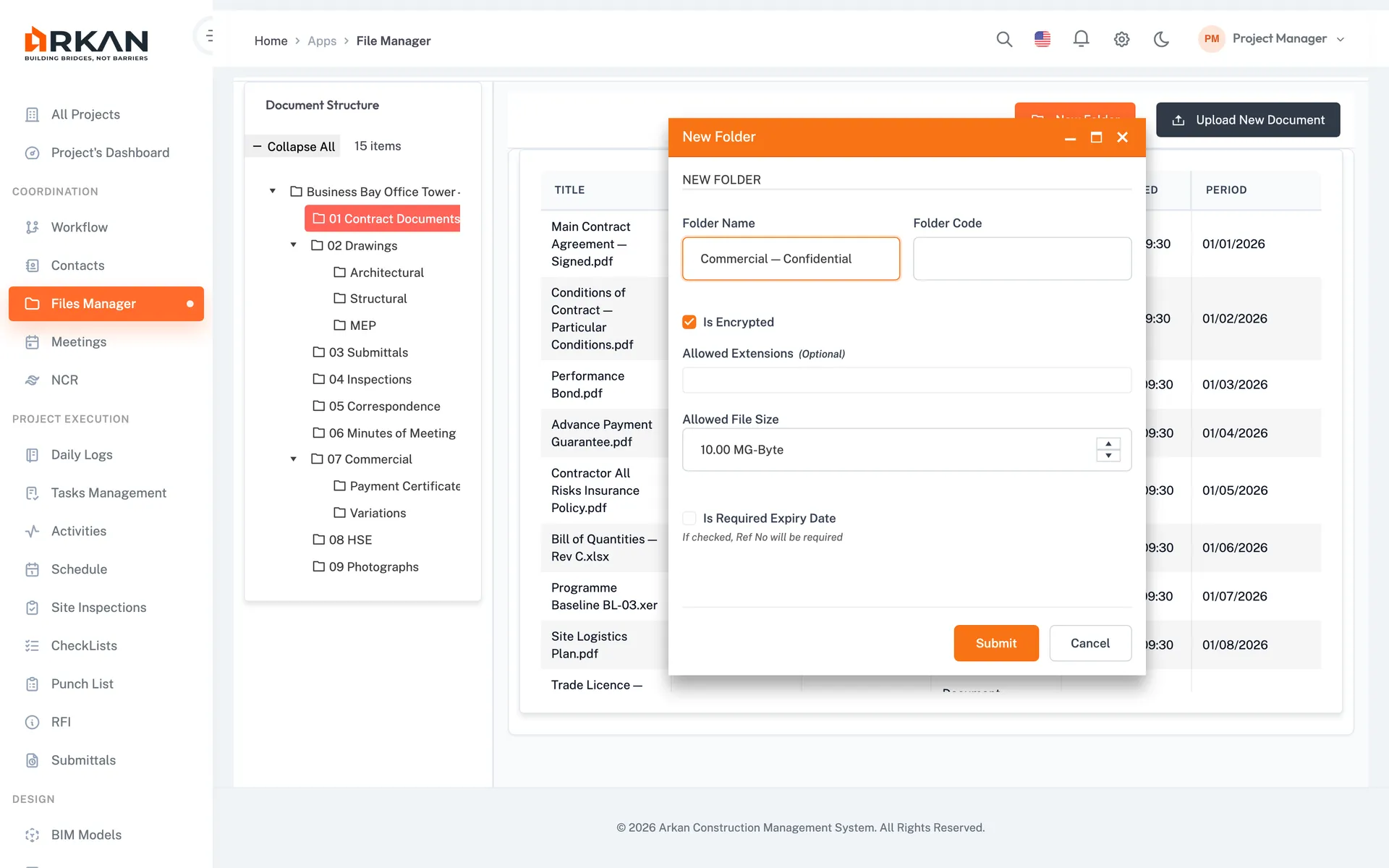
Visibility & Encrypted Folders
Set controlled documents to AdminOnly or ProjectTeam and temporary files to OwnerOnly or ProjectUsers. Folders can be encrypted and limited to allowed file types, sizes and required expiry dates.
Temporary Files & Archive
Temporary files are deleted automatically after the expiry period you set (14 days by default). Documents no longer in daily use can be archived to cold storage and restored when needed.
Search, Filters & Bulk Actions
Filter by keyword, document type, status and upload date, switch between grid and list views, and bulk download, delete or move files.
Simple 4-Step Process
Organize: Build a folder tree with codes, encryption and upload rules
Upload: Choose supporting evidence, controlled document or temporary file, then add metadata and tags
Review: Submit documents for review, then approve or reject them
Maintain: Upload new versions, restore earlier ones, and archive files to cold storage
At a Glance
Upload Types
3
Supporting evidence, controlled documents and temporary files
Version History
Restorable
Every version kept with uploader, date and comment
Temporary File Expiry
14 days
Default auto-expiry, adjustable per file
Works seamlessly with other Arkan features
Document Control integrates with Drawings & BIM, Submittals, Workflow Engine and more for a complete construction management solution.
Related Features
Explore other features that work great with Document Control