Instructions Given, Never Followed Up
- 1Site instructions are given verbally or in chat groups and are hard to follow up
- 2Blocked work stays invisible until someone asks why it has not started
- 3Tasks are not connected to the RFI, submittal or inspection they depend on
Arkan Task Management Capabilities
Task List
A sortable, filterable grid with My Tasks and All Tasks views, bulk actions, and export to Excel or PDF.
Daily Execution
Cards grouped into Today, Ready, Blocked and Overdue for daily stand-ups, with quick Start and Complete actions.
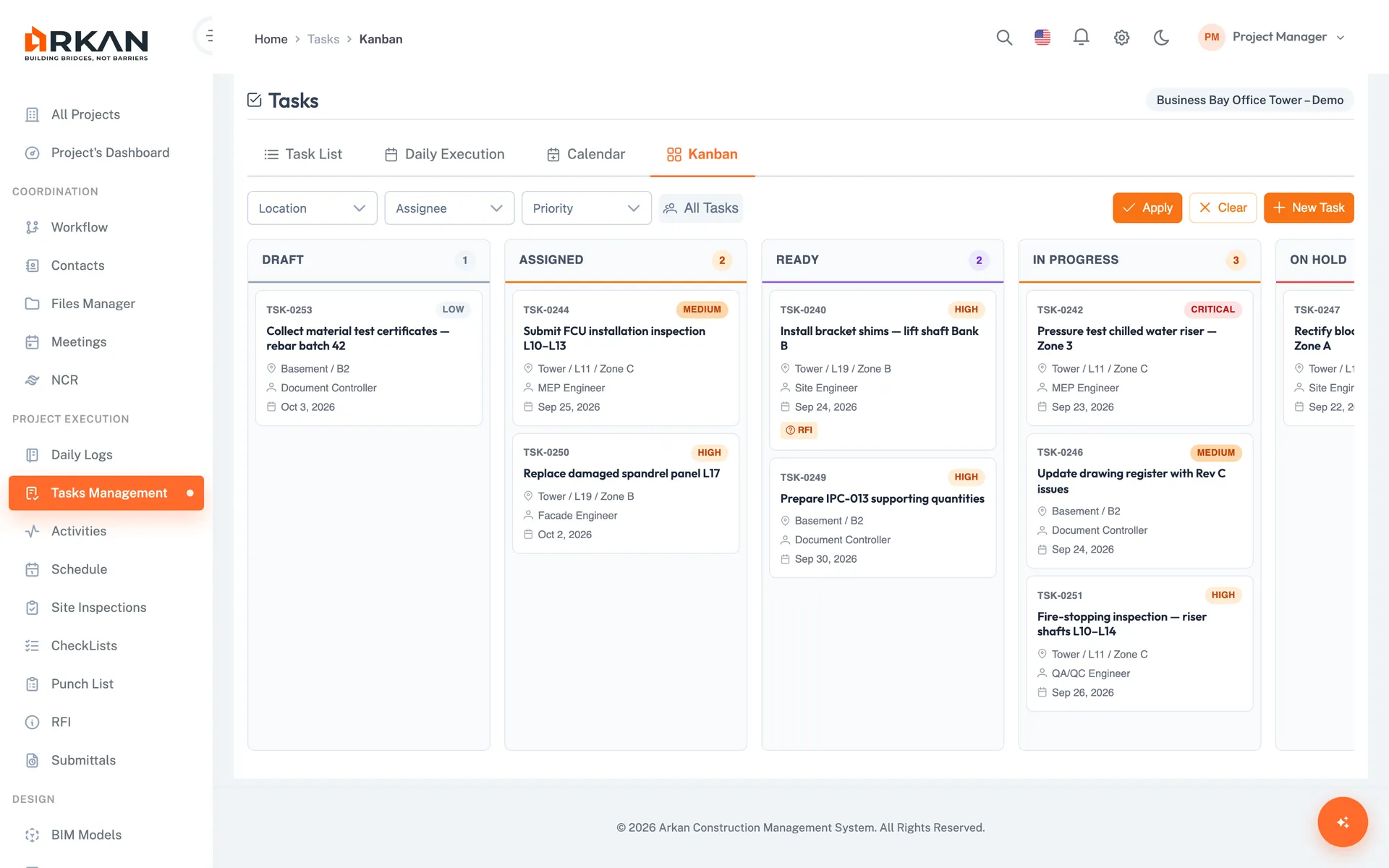
Kanban Board
Drag cards between status columns to update them. Moves that are not valid for the task's status are rejected.
Calendar View
Month, week and day views with tasks colour-coded by priority.
Linked Items
Link a task to an RFI, submittal, inspection, drawing, schedule activity or BOQ code.
Comments, Checklists & History
Each task holds attachments, checklists, comments and a history of every status change. Putting a task on hold records the reason it is blocked.
Simple 4-Step Process
Create: Save a task as a draft, or save and assign it
Plan: Set dates, location, priority and linked items
Execute: Start, hold, resume and complete from any view
Review: Check comments, checklists and the activity history
At a Glance
Views
4
List, daily execution, calendar and Kanban
Statuses
8
Draft to Completed, including On Hold, Overdue and Cancelled
Link Types
6
RFI, submittal, inspection, drawing, activity and BOQ code
Works seamlessly with other Arkan features
Task Management integrates with Meetings & Minutes, Daily Site Logs, Punch List and more for a complete construction management solution.
Related Features
Explore other features that work great with Task Management