Your P6 Schedule, Visible to the Whole Team.
Import Primavera P6 schedules (.xml or .xer) into Arkan. Your team views activities in Grid and Gantt views, checks the critical path and float, compares schedule versions, and updates completion ratios, without a P6 licence for everyone who needs to see the schedule.
The P6 Accessibility Gap
- 1Only a few planners have P6 licences while many team members need to see the schedule, so progress updates happen via email and WhatsApp
- 2Exporting P6 to PDF or Excel for site teams creates stale snapshots
- 3Nobody can easily see what changed between two schedule updates
Arkan Primavera P6 Integration Capabilities
P6 Import (.xml & .xer)
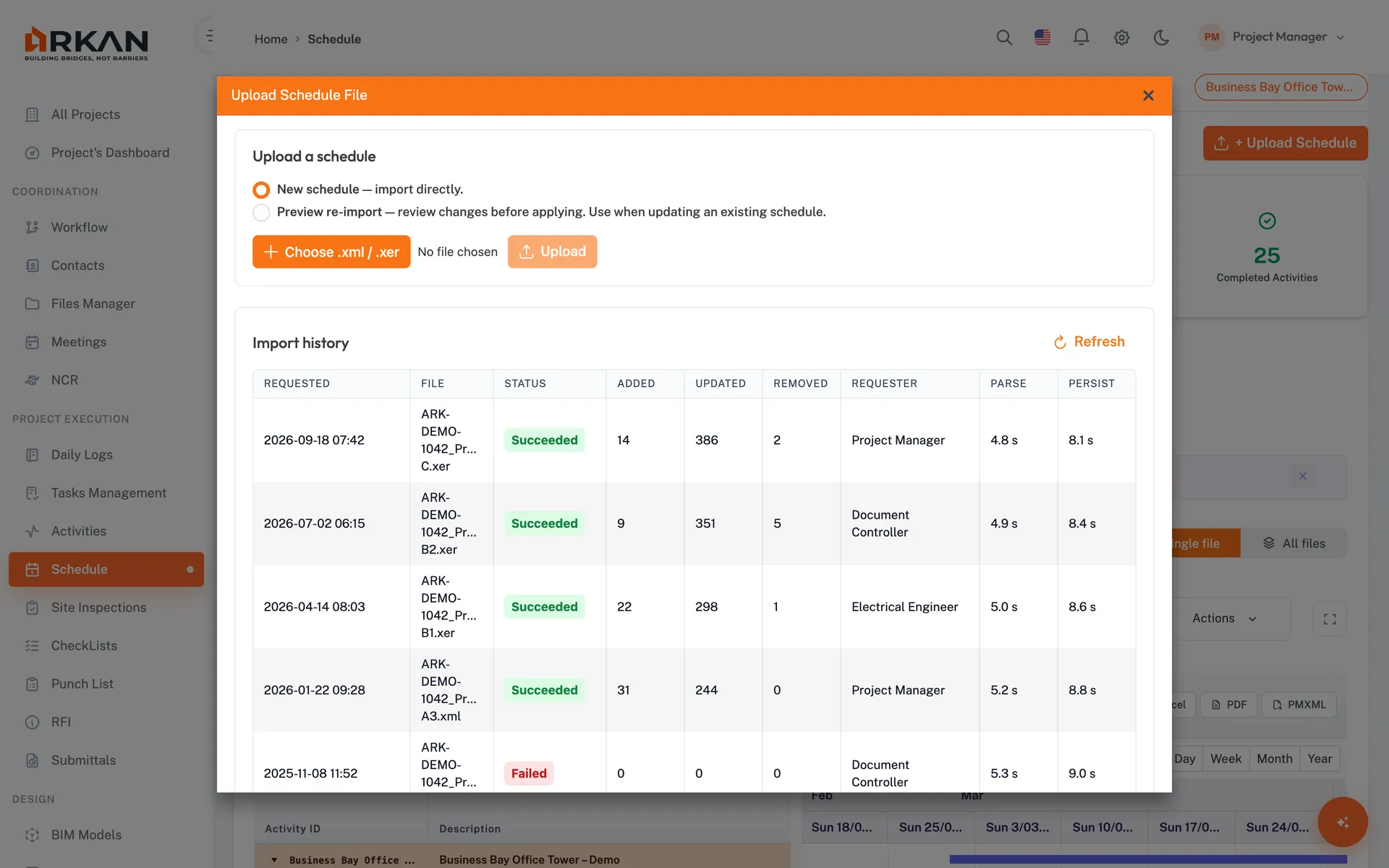
Upload Primavera P6 exports up to 50 MB. If a file holds several P6 projects, choose the one to load. Uploaded files are kept, so you can switch between schedule versions.
Team-Wide Schedule Access
Give engineers, site teams and client reps access to the schedule in Grid and Gantt views with day, week, month and year zoom. No P6 licence is needed to view it in Arkan.
Critical Path & Float
A CPM card shows expected vs. baseline end date, schedule status, variance in days and the number of critical path activities. Total and free float are shown for each activity.
Version Comparison
Compare two uploaded versions to see added, removed, modified and unchanged activities, with field-level changes such as duration: 14 → 21.
Completion Updates with History
Edit an activity's completion ratio in Arkan. Setting 100% asks for a completion date, and every update records who changed it and when.
Simple 4-Step Process
Import: Upload an .xml or .xer file exported from Primavera P6
View: The team opens Grid and Gantt views, no P6 licence needed
Analyze: Check the CPM card, float values and delayed activities
Compare & Update: Compare versions and record completion ratios in Arkan
At a Glance
File Formats
.xml & .xer
Primavera P6 exports up to 50 MB
Gantt Zoom
Day to Year
Day, week, month and year timeline views
Schedule Versions
Any two
Compare added, removed, modified and unchanged activities
Works seamlessly with other Arkan features
Primavera P6 Integration integrates with Schedule & Primavera P6, Project Dashboard, Project Management Hub and more for a complete construction management solution.
Related Features
Explore other features that work great with Primavera P6 Integration