Answers Buried in Long Documents
- 1Finding one clause in a long contract or specification means reading page by page
- 2Simple questions about project status mean opening several screens or asking a colleague
- 3When people paste documents into outside chat tools, nobody can see what was asked
Arkan AI Assistant Capabilities
AI Document Assistant
A split-screen page with the PDF on one side and the chat on the other, so you can read the document while you ask questions about it.
Follow-Up Questions
Conversations keep the context of earlier answers, so you can ask the assistant to compare, summarise or expand on what it said.
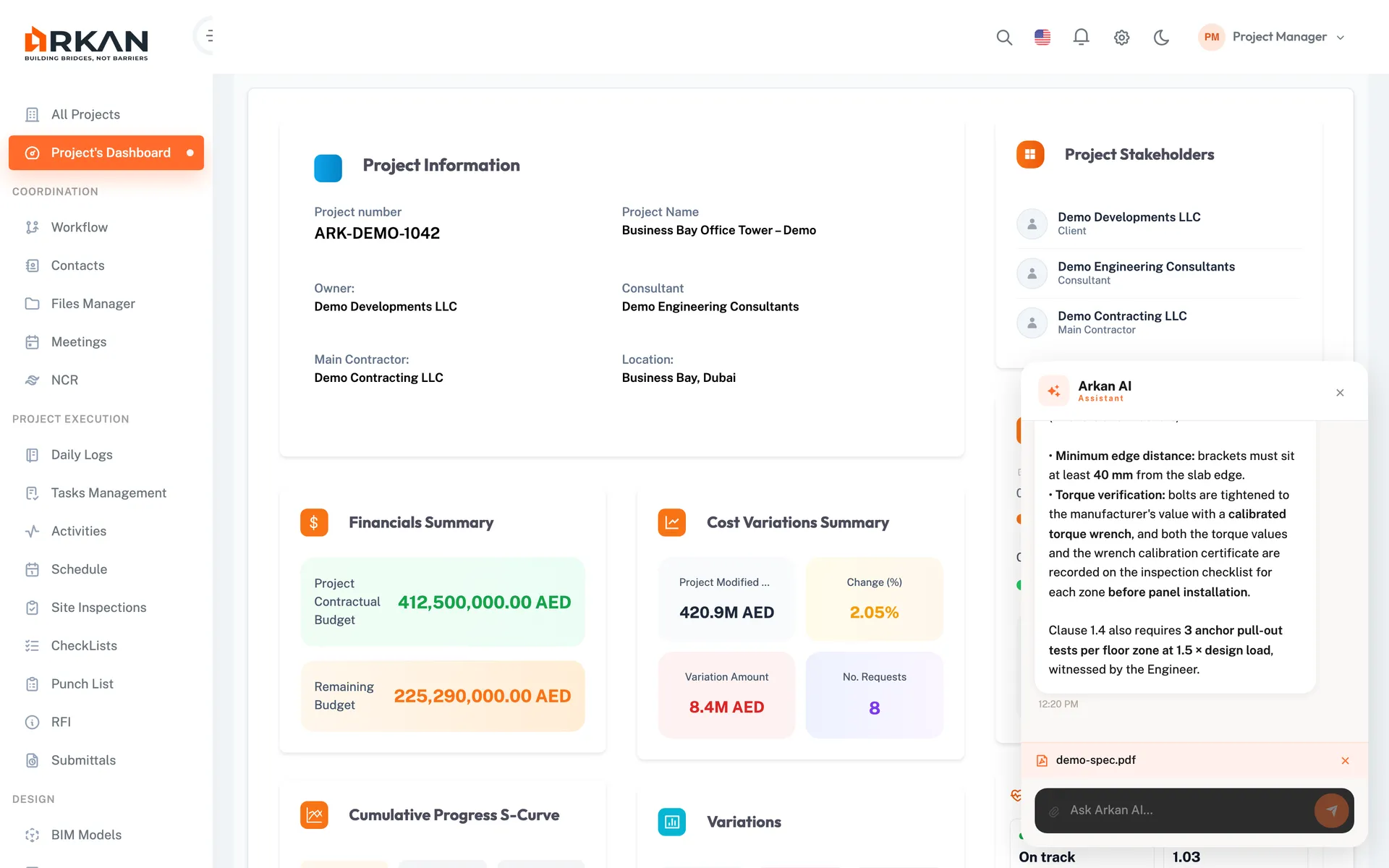
Arkan AI Widget
A chat button on every page. With no file attached it answers questions about the selected project's data, such as how many submittals are open. Attach a PDF or image (PNG, JPG, WebP, up to 30 MB) to ask about that file instead.
Admin AI Settings
Administrators edit the system prompt, restore the default, and set the Gemini API key and model used by the assistant.
Chat Log
A read-only log of AI chat interactions showing each question, the answer and any file involved, so administrators can review how the assistant is used.
Simple 4-Step Process
Configure: An administrator adds the Gemini API key and model
Attach: Upload a PDF, or a PDF or image in the widget
Ask: Type questions and follow-ups in plain language
Review: Administrators check the Chat Log
At a Glance
AI Provider
Google Gemini
Documents are sent to Gemini using the API key your administrator sets
File Types
PDF & images
PDF, PNG, JPG and WebP, up to 30 MB in the widget
Availability
Every page
The widget is available throughout the app
Works seamlessly with other Arkan features
AI Assistant integrates with Document Control, Specifications, Project Dashboard and more for a complete construction management solution.
Related Features
Explore other features that work great with AI Assistant