The Multi-Project Challenge
- 1Project status updates require opening multiple systems
- 2Switching between projects means losing context
- 3New project setup takes weeks of manual configuration
- 4No standardized structure across the portfolio
- 5Teams create their own folder hierarchies, making audits impossible
Arkan Project Management Hub Capabilities
Project List
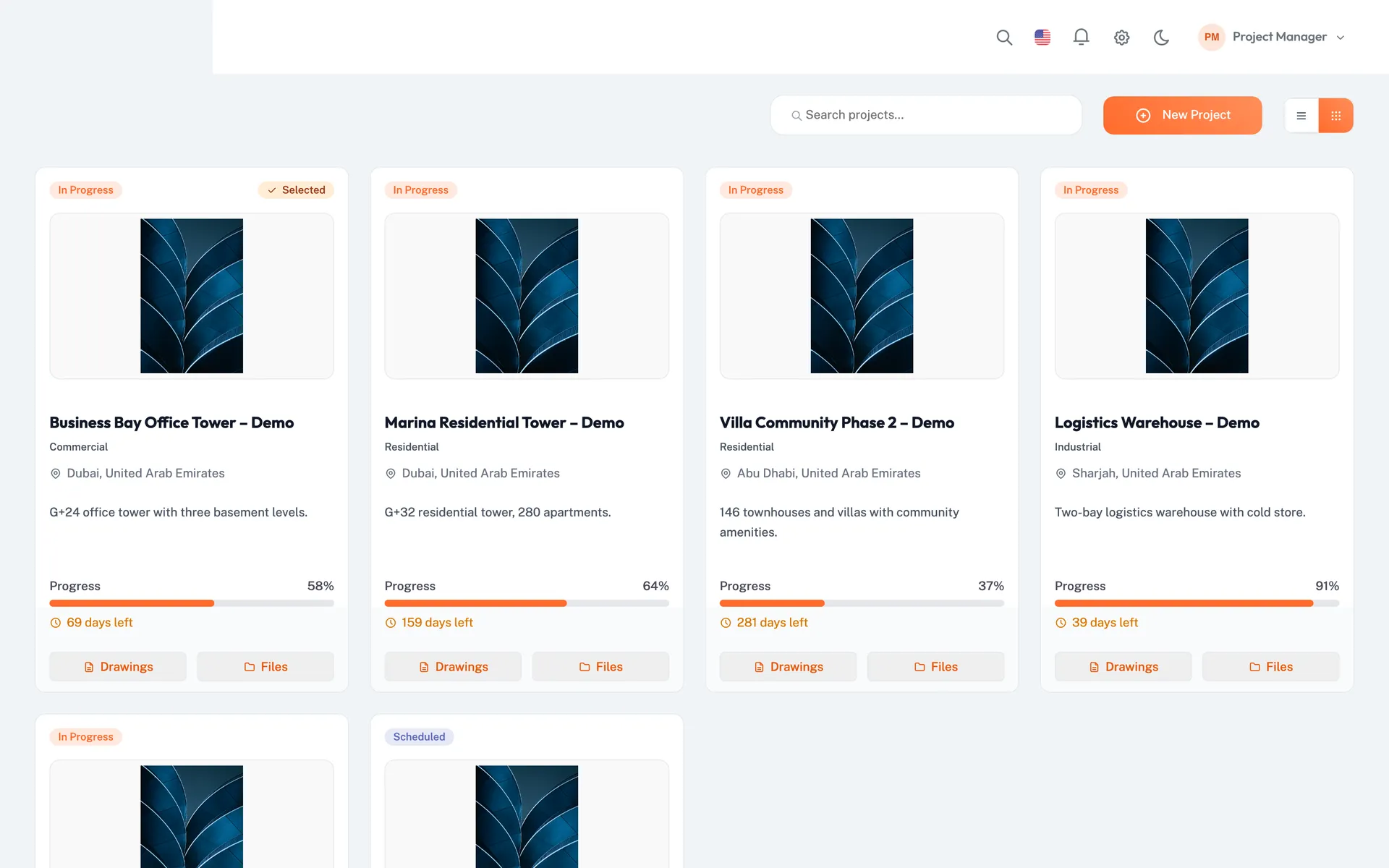
See all projects as cards or a list, with status badge, progress bar, days left and quick links to drawings and files
Grid and list views
Hierarchical Project Structure
Organize with a five-level hierarchy: Areas → Buildings → Floors → Zones → Locations
Used by inspections, submittals and punch lists
Project Configuration
Define project value and currency, timeline dates, location and the companies involved
Complete project setup
Project Switching
Switch the active project from the project selector
Selected project applies across all modules
Project Templates
Choose a project template that sets the default configuration, including workflow settings
Reusable setup across projects
Work Breakdown Structure
Review BOQ cost distribution and schedule activities by WBS
WBS codes from BOQ and Primavera
Simple 4-Step Process
Create Project: Define basics, select template
Configure Structure: Set up Areas, Buildings, Floors, Zones
Assign Stakeholders: Add companies and users with roles
Go Live: Begin tracking from day one
At a Glance
Project Views
Grid & List
Status, progress and days left on every project
Structure Levels
5
Areas, buildings, floors, zones and locations
Project Templates
Reusable
Default configuration, including workflow settings
Built for Your Projects
Project Management Hub supports construction projects across all sectors
Residential Development
- Multi-tower residential complexes
- Gated communities
- Affordable housing programs
Commercial Construction
- Office buildings
- Retail centers
- Mixed-use developments
Industrial Projects
- Manufacturing facilities
- Warehouses
- Logistics centers
Infrastructure
- Roads and bridges
- Utilities
- Public transportation
Government Projects
- Schools and universities
- Hospitals
- Government buildings
Who Benefits
Portfolio Directors
One list of all projects with status and progress
Project Managers
Quick context switching, consistent setup
Finance Teams
Standardized contract value tracking
Works seamlessly with other Arkan features
Project Management Hub integrates with Project Dashboard, Schedule Management, Workflow Engine and more for a complete construction management solution.
Related Features
Explore other features that work great with Project Management Hub