The Drawing Chaos
- 1Markups sent via email create version chaos
- 2Clashes between architecture, structure and MEP are found on site instead of in the model
- 3Issue locations described in text, not pinned on drawings
- 4Comments scattered across emails, meetings, and calls
- 5No audit trail of what was discussed and resolved
Arkan Drawings, Smart Pins & BIM Capabilities
Drawing Viewer
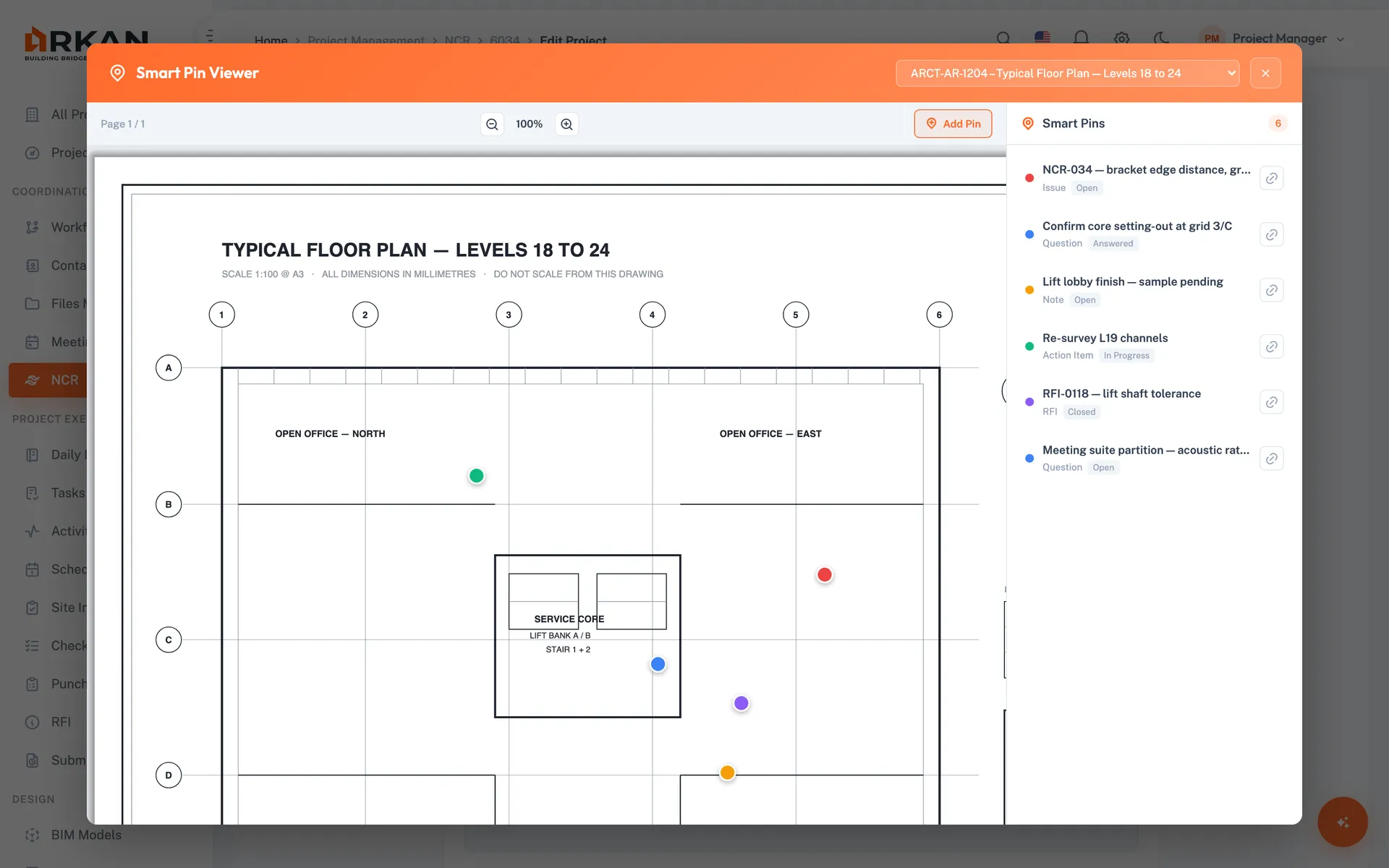
View project drawing PDFs with page navigation and zoom
Zoom from 50% to 300%
Smart Pins
Pin issues, questions, notes, action items and RFIs to an exact spot on the drawing
Type, priority, discipline and status
Linked Records
Attach project documents and files to a pin, and link pins to NCRs
Images, PDFs and Office documents
3D IFC Model Viewer
Upload IFC models by discipline and explore them in an interactive 3D viewer
Model tree, element search and IFC property sets
Clash Detection
Run clash tests between models with a set tolerance and review each result
Change clash status and fly to the clash in 3D
RFIs from the Model
Create an RFI from a selected element or clash result
Captures the camera viewpoint and a screenshot
Technical Comparison
See how Arkan outperforms traditional solutions
Simple 4-Step Process
Upload: Add drawing PDFs and IFC models (up to 100 MB per model)
Pin: Place Smart Pins with type, discipline, status and priority
Coordinate: Run clash detection and review results in 3D
Resolve: Raise RFIs from elements or clashes and link pins to NCRs
At a Glance
Default Pin Types
5
Issue, question, note, action item and RFI, or your own types
Model Format
IFC
From Revit, ArchiCAD, Tekla and other authoring tools
RFI Context
3D viewpoint
RFIs raised in the viewer save the camera view and a screenshot
Works seamlessly with other Arkan features
Drawings, Smart Pins & BIM integrates with Submittals, Workflow Engine, RFI Management and more for a complete construction management solution.
Related Features
Explore other features that work great with Drawings, Smart Pins & BIM