The RFI Black Hole
- 1RFIs are sent via email and tracked in spreadsheets — responses take weeks with no accountability
- 2Submittal registers live in Excel with no link to the actual documents or approval status
- 3Design conflicts are discovered on site because RFIs were answered in isolation without cross-discipline visibility
Arkan RFI & Submittal Management Capabilities
RFI Lifecycle Tracking
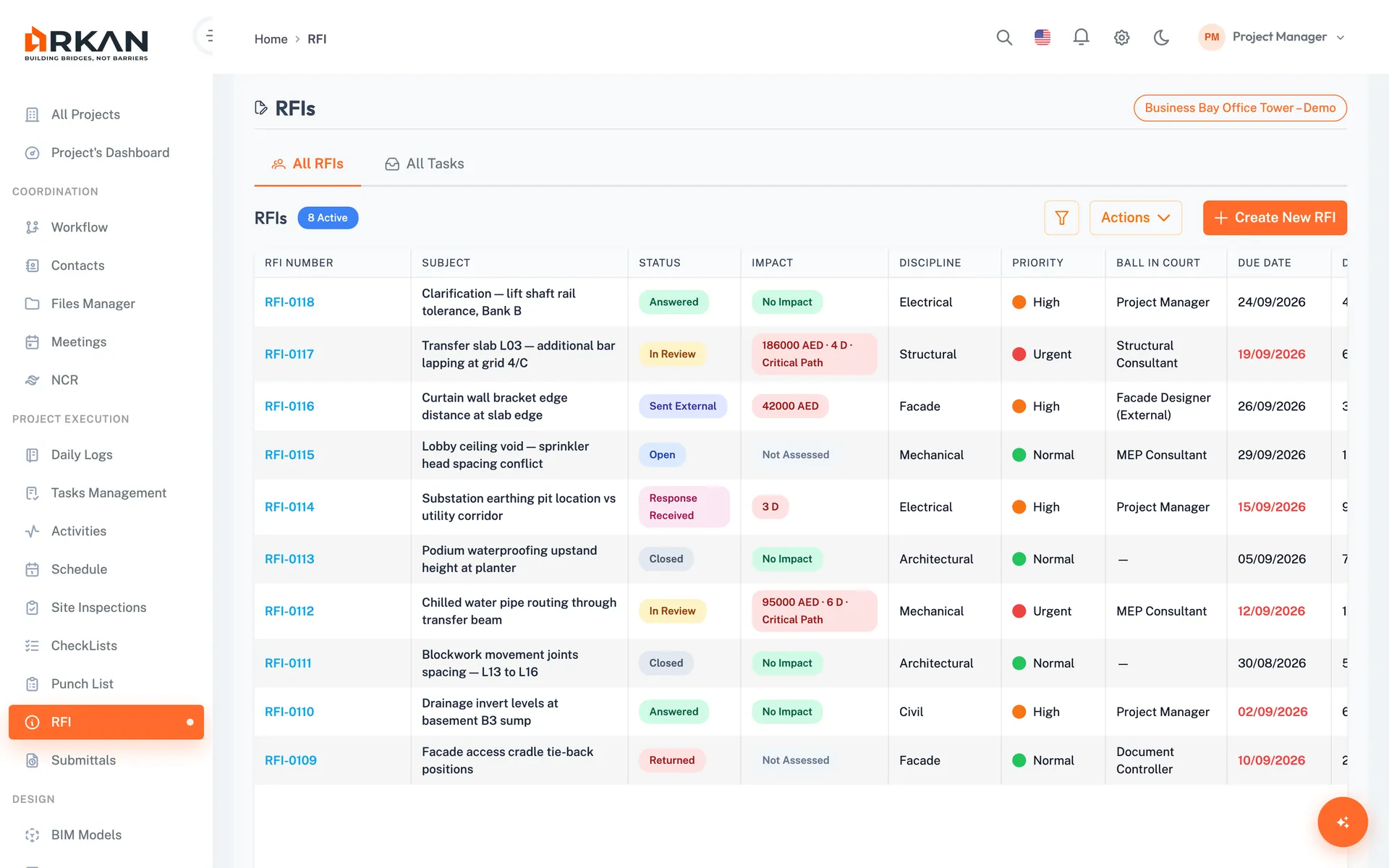
Create RFIs as drafts with subject, question, discipline, priority (Normal, High, Urgent), due date, drawing and specification references, and attachments. Statuses run from Draft and Open to Answered and Closed.
Due Dates, Overdue Flags & Ball-in-Court
Every RFI shows who holds the ball and how many days it has been open. Overdue due dates are highlighted, and the Overdue Only filter and My Tasks view show what needs action.
Internal & External RFIs
Route RFIs internally through a workflow template (forward, return, reject) or send them to an external company contact and log the response when it arrives. Mark one response as the official answer.
RFIs from the BIM Model
Raise an RFI from a selected 3D element or clash result. The RFI keeps the camera viewpoint and a screenshot so reviewers see the exact context.
Submittal Plans & Tracking
Plan submittals by type from settings or Primavera activities, attach documents to each request, and track Completed, Under Process and Late statuses on the submittal dashboard.
Simple 4-Step Process
Create: Save an RFI draft with question, discipline, priority, due date and references
Send: Route it through an internal workflow or send it to an external contact
Respond: Add internal or external responses and mark the official answer
Close: The final workflow step closes the RFI, and its full history stays on record
At a Glance
Priority Levels
3
Normal, High and Urgent, color-coded in the list
Send Options
Internal & External
Workflow routing or a recorded external send
Official Answer
1 per RFI
One response marked official and highlighted
Works seamlessly with other Arkan features
RFI & Submittal Management integrates with Submittals, Drawings & BIM, Workflow Engine and more for a complete construction management solution.
Related Features
Explore other features that work great with RFI & Submittal Management