The Scheduling Disconnect
- 1P6 requires specialized training and licenses
- 2Completion updates live in emails and side spreadsheets
- 3Stakeholders without a P6 licence never see the schedule
- 4Multiple P6 files create version confusion
- 5No connection between schedule activities and field inspections
Arkan Schedule Management & Primavera P6 Capabilities
Primavera P6 Import
Import .xml and .xer files exported from P6, up to 50 MB
Choose the target project when a file holds several
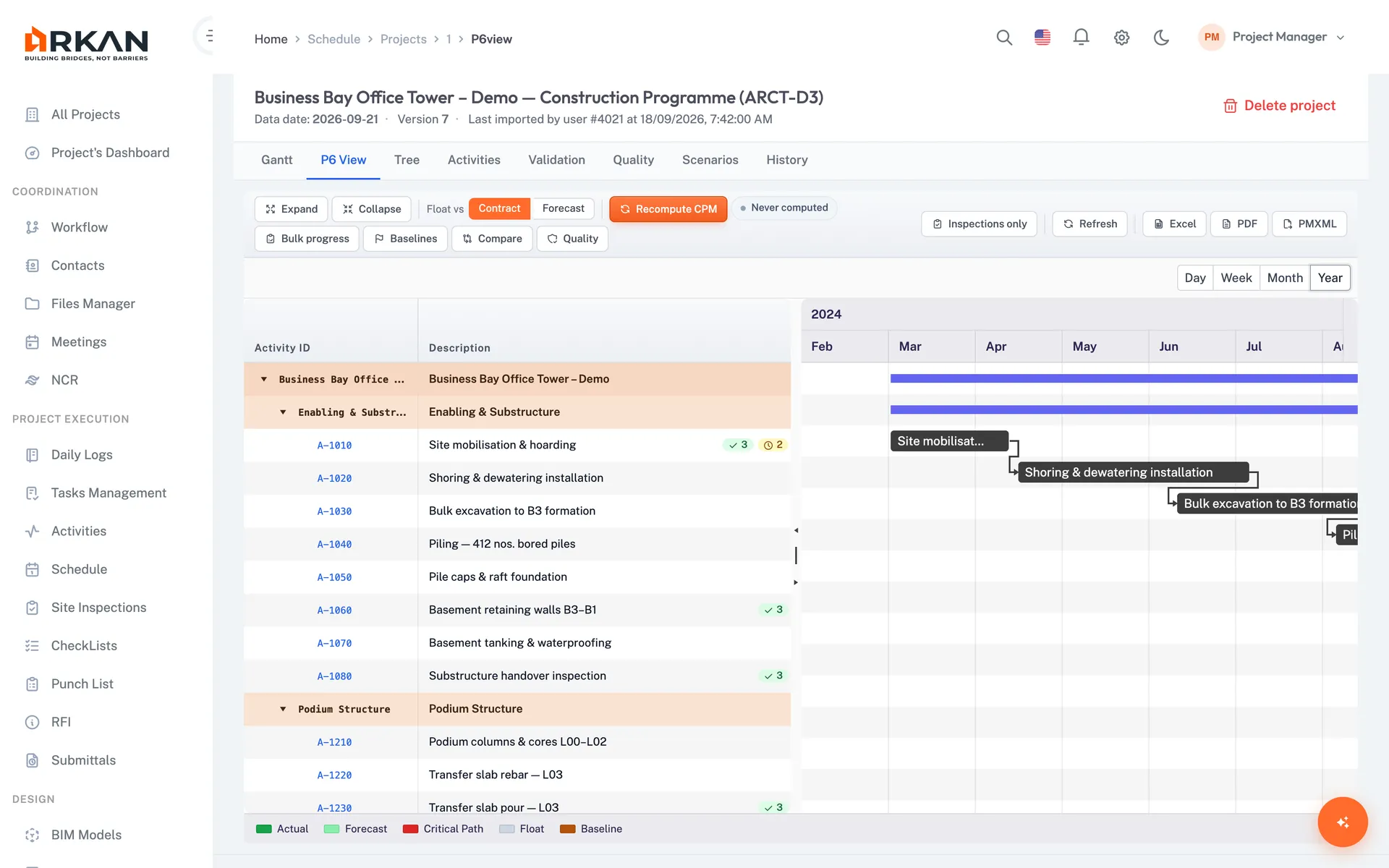
Interactive Gantt Chart
Timeline with predecessors, progress and dates for each activity
Day, week, month and year zoom levels
Activity Management
Activity ID, WBS, planned/actual dates and completion ratio
Original and remaining duration, total and free float
Critical Path (CPM) Analysis
Expected vs. baseline end date, schedule status and variance in days
Critical path activity count
Schedule Dashboard
KPIs for total, completed, in-progress and not-started activities, plus completion rate
Upcoming, delayed and completed-this-month tables
Version Comparison
Compare two uploaded schedule versions
Added, removed, modified and unchanged activities with field-level changes
6-Step Workflow
Export
Export .xml or .xer from Primavera P6
Upload
Upload to Arkan (choose the project if the file holds several)
Reference
Add reference number, issue and expiry dates
Visualize
Grid, Gantt and dashboards populate automatically
Link
Link inspections to schedule activities
Update
Edit completion ratios in Arkan with a full update history
Simple 4-Step Process
Export: Generate .xml or .xer from Primavera P6
Upload: Import to Arkan with auto-detection
Visualize: Interactive Gantt with critical path
Track: Connect inspections to schedule activities
At a Glance
Schedule Access
No P6 licence
Team members view the schedule in Arkan without a P6 licence
File Formats
.xml & .xer
Primavera P6 exports up to 50 MB
Gantt Zoom Levels
4
Day, week, month and year
Who Benefits
Project Planners
Import P6 exports and compare schedule versions
Site Managers
View critical path activities and update completion ratios
Executives
Check expected end date and schedule variance for each project
Contractors
Track milestones and avoid delays
Works seamlessly with other Arkan features
Schedule Management & Primavera P6 integrates with Project Dashboard, Inspections, Project Hub and more for a complete construction management solution.
Related Features
Explore other features that work great with Schedule Management & Primavera P6