Coordinate Across Disciplines. Deliver With Precision.
Most construction software is built for contractors. Arkan is built for how consulting engineers actually work—multi-project, multi-discipline, multi-client. See everything. Control everything. Report on everything.
Is Arkan Right for You?
If any of these apply to you, you're in the right place.
How It Works
Three simple steps to get started with Arkan
Workflow Analysis
We map your multi-project, multi-client workflows and requirements
Configuration
Set up submittal types, checklists, and approval workflows
Go Live
Launch across all projects with discipline-specific training
The Reality You're Living
Challenges construction teams in the region know well.
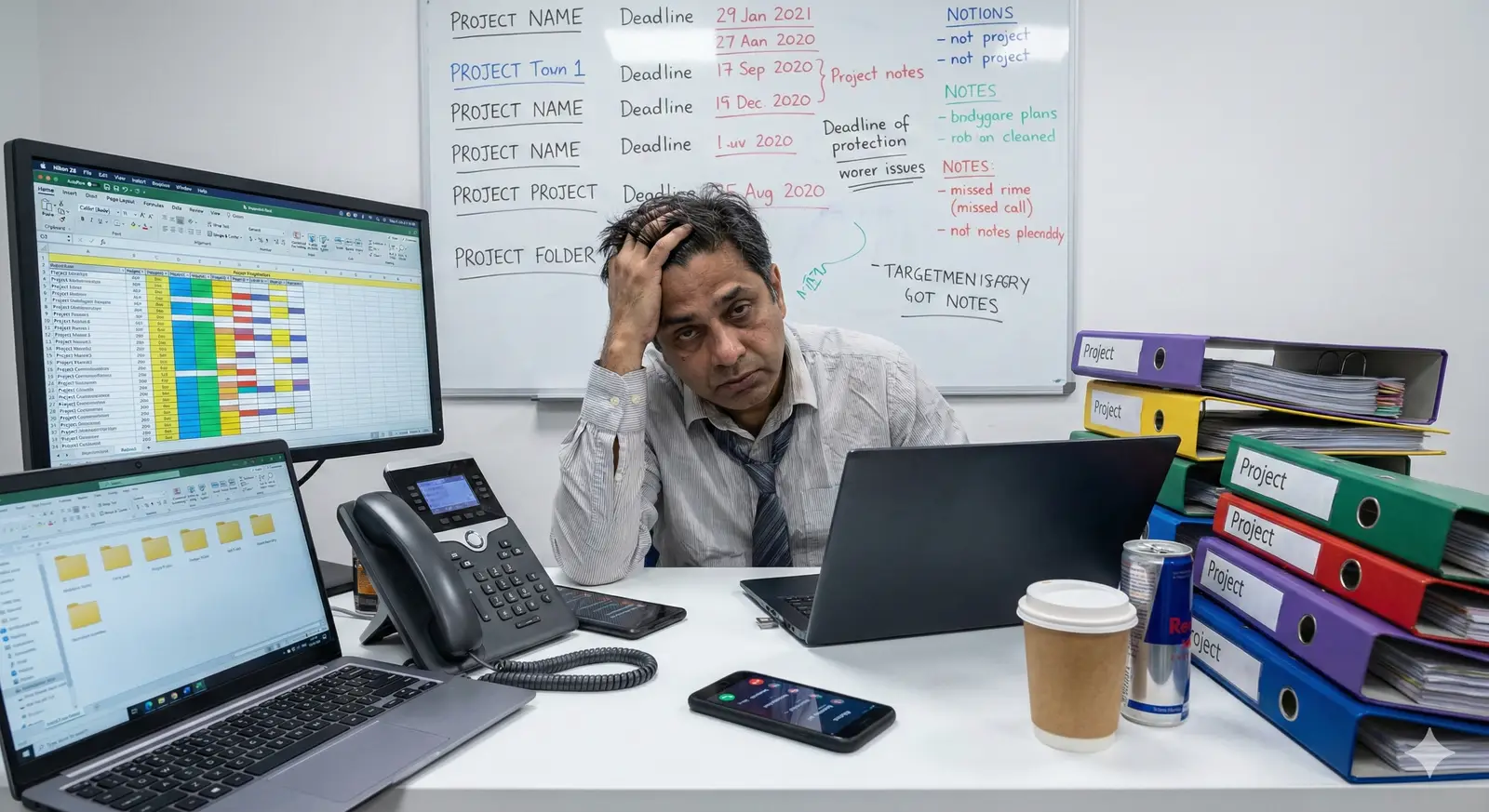
You're managing 15 projects across 8 clients—and everyone wants a status update.
Contractors send their updates in different formats. Some use spreadsheets. Some use emails. Some don't send anything at all. Consolidating this into client reports takes your team days every month.

Every discipline sees a different version of the truth.
Structural says 70% complete. MEP says 55%. Architecture says 62%. The client asks you for the real number. You don't have one—because nothing is connected.

Drawing reviews disappear into email black holes.
The architect sent revised drawings. The structural engineer marked them up. The MEP consultant added comments. Three email threads, twelve attachments, and nobody knows what's current.
You're the last line of defense—but you're blind to what's happening on site.
Inspections happen. Work gets approved. You find out about quality issues after they've been covered up. Your reputation is on the line for work you can't verify.
Client reporting is a manual nightmare.
Every month: compile data from multiple sources, format it into the client's preferred template, review for accuracy, get it approved internally, send it. By the time it's sent, it's already outdated.
What You Get
How Arkan helps your team day to day.
One Place for Submittals and RFIs
Submittals, RFIs and inspection requests are tracked with status, due dates and workflow history, so you know what is waiting on whom.
Structured Reviews
Review submittal documents against checklists and route decisions through configurable approval sequences.
Clear Meeting Minutes
Record attendance with QR check-in, capture decisions and action items, and link them to tasks, RFIs or submittals.
Coordination in 3D
Upload IFC models, run clash detection between disciplines and raise RFIs directly from the model.
Quality on Record
Inspections, checklists and non-conformance reports are documented with attachments and linked references.
Built for How You Work
Every feature is designed with your specific needs in mind.
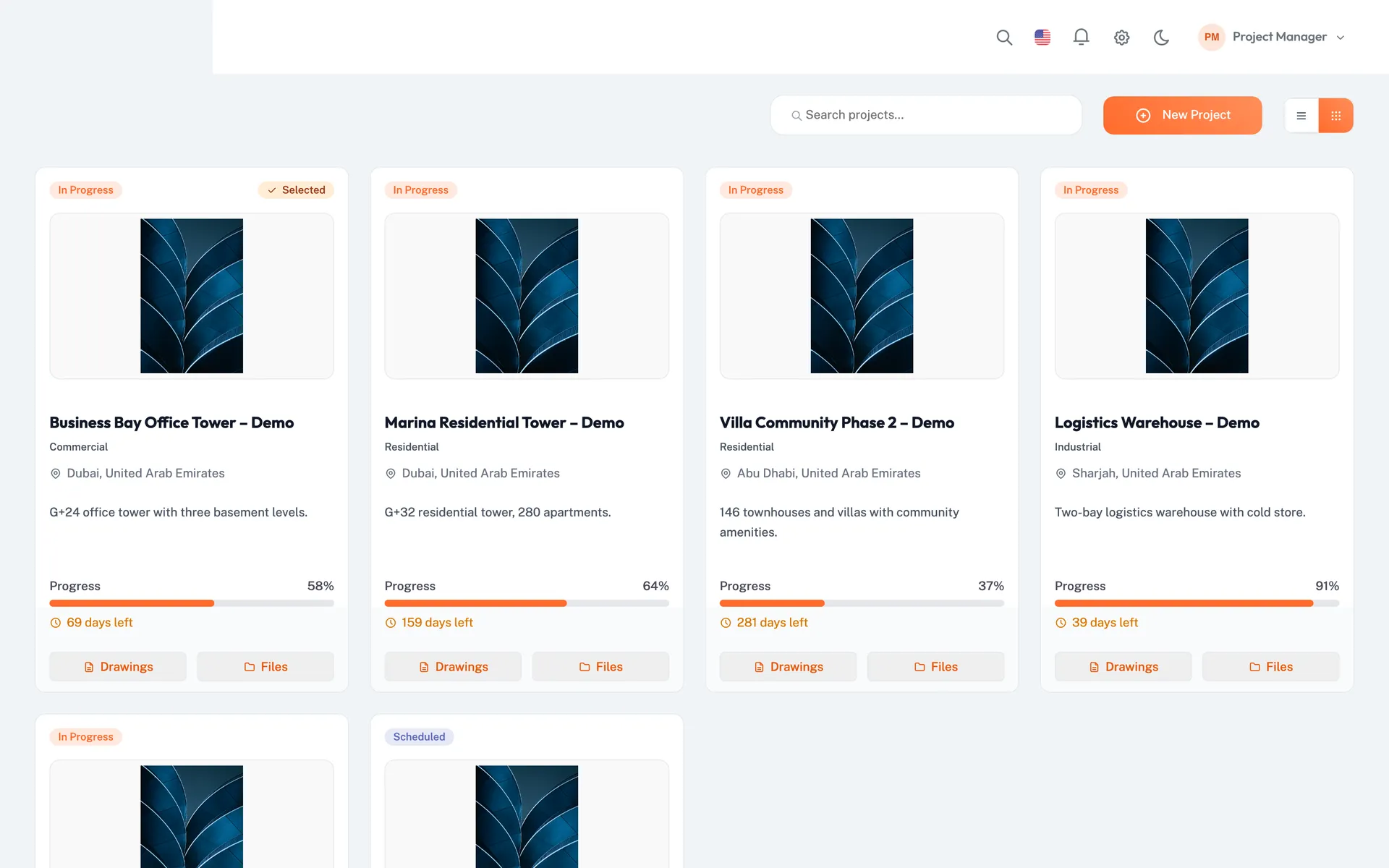
Projects Grid and Project Dashboards
See all your projects in a grid or list, then open any project's dashboard for financials, progress curve, inspections, submittals and workflow requests.
One place to check status before a client meeting.
- All projects in grid or list view
- KPIs and charts for each project
- Drill into records from dashboard widgets
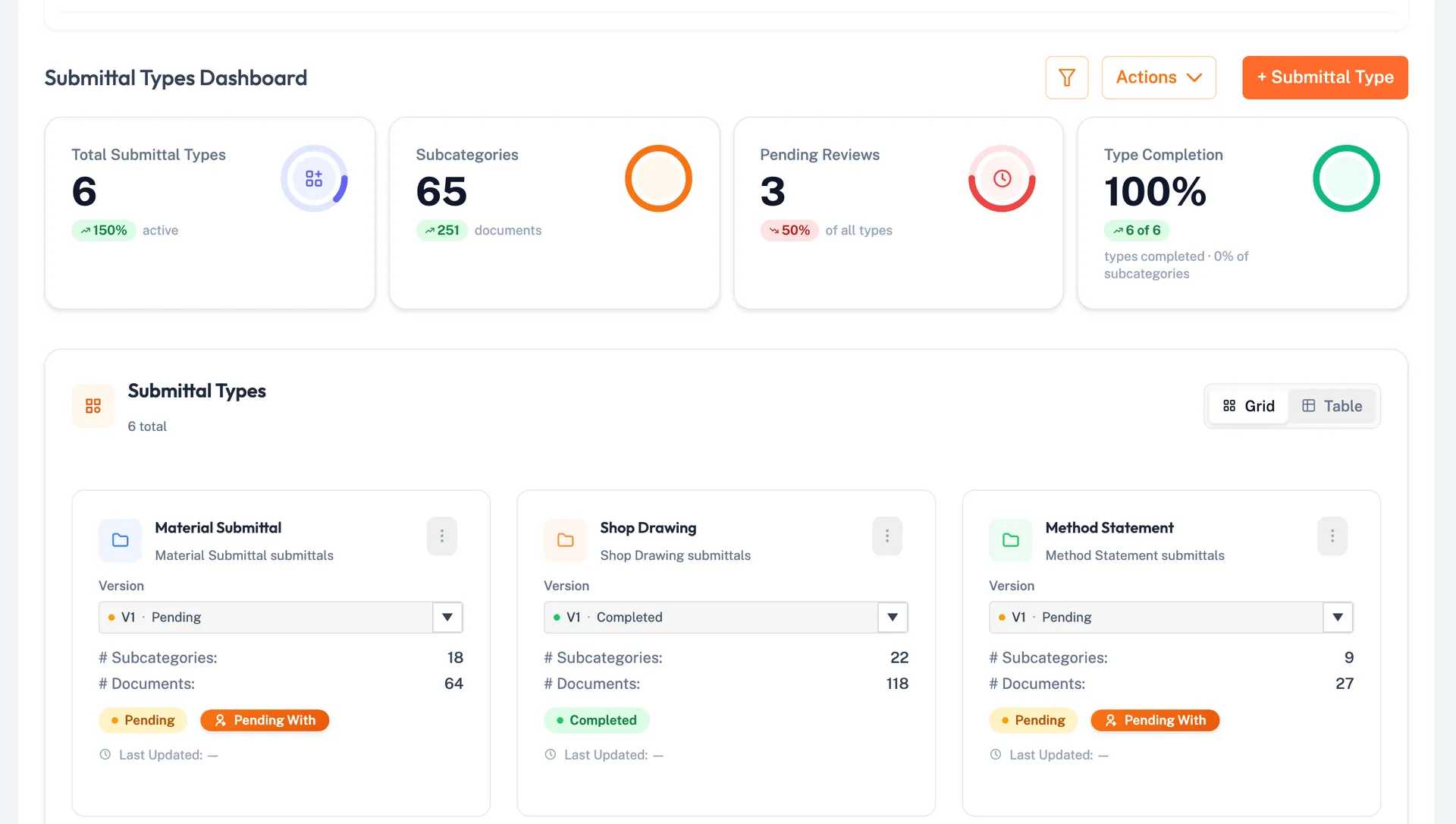
Submittal Review
Submittal plans, document requests with checklists, and approval workflows in one module, with PDF and Excel exports.
Every review is recorded and traceable.
- Submittal plans by type or from Primavera
- Checklists on each document request
- PDF submittal reports
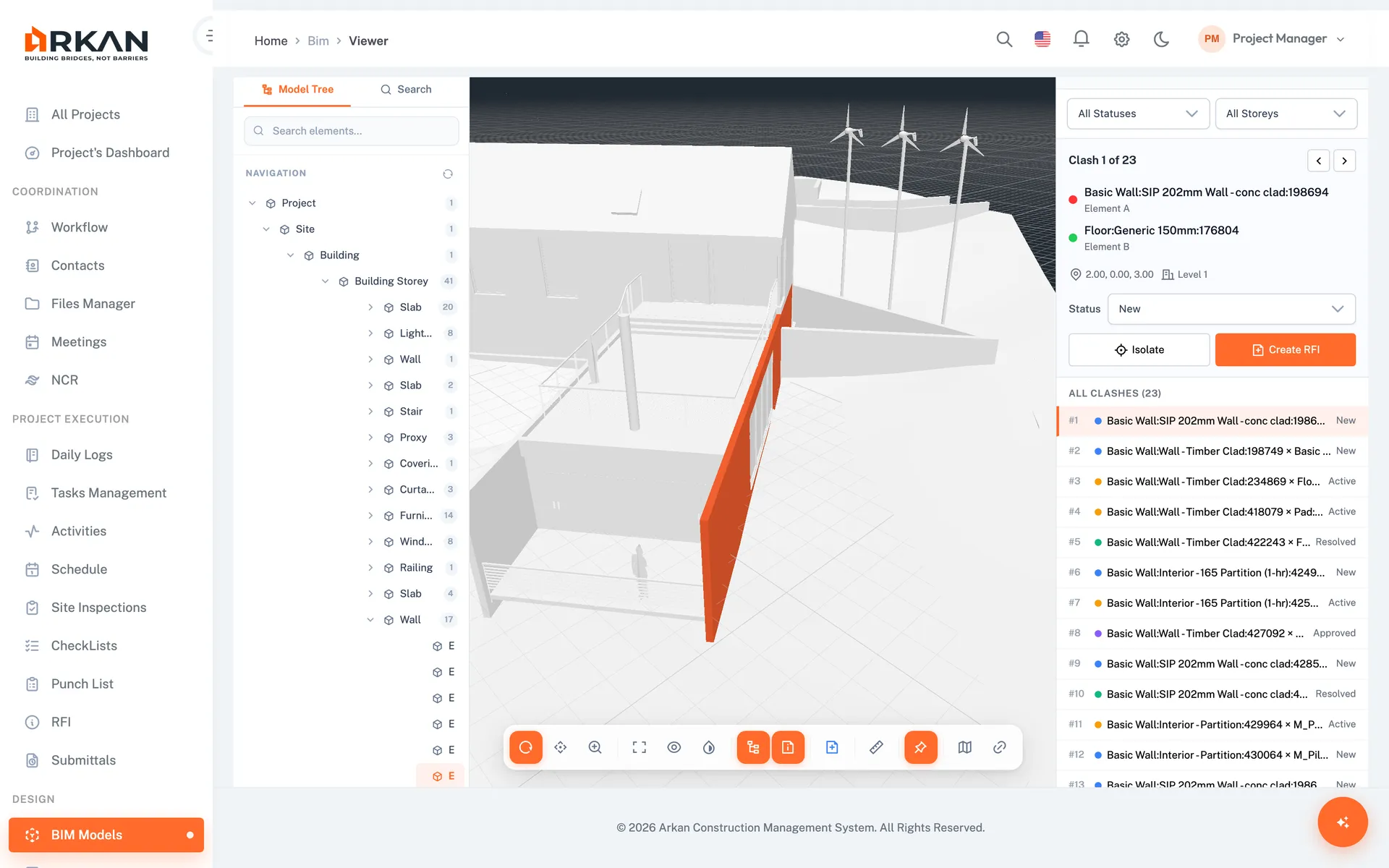
RFIs and Clash Detection
Track RFIs with due dates and responses. Run clash detection on IFC models and create RFIs linked to the exact 3D location.
Design questions are raised, answered and closed with full context.
- RFI log with status and responses
- Clash tests between discipline models
- RFIs with a saved 3D viewpoint
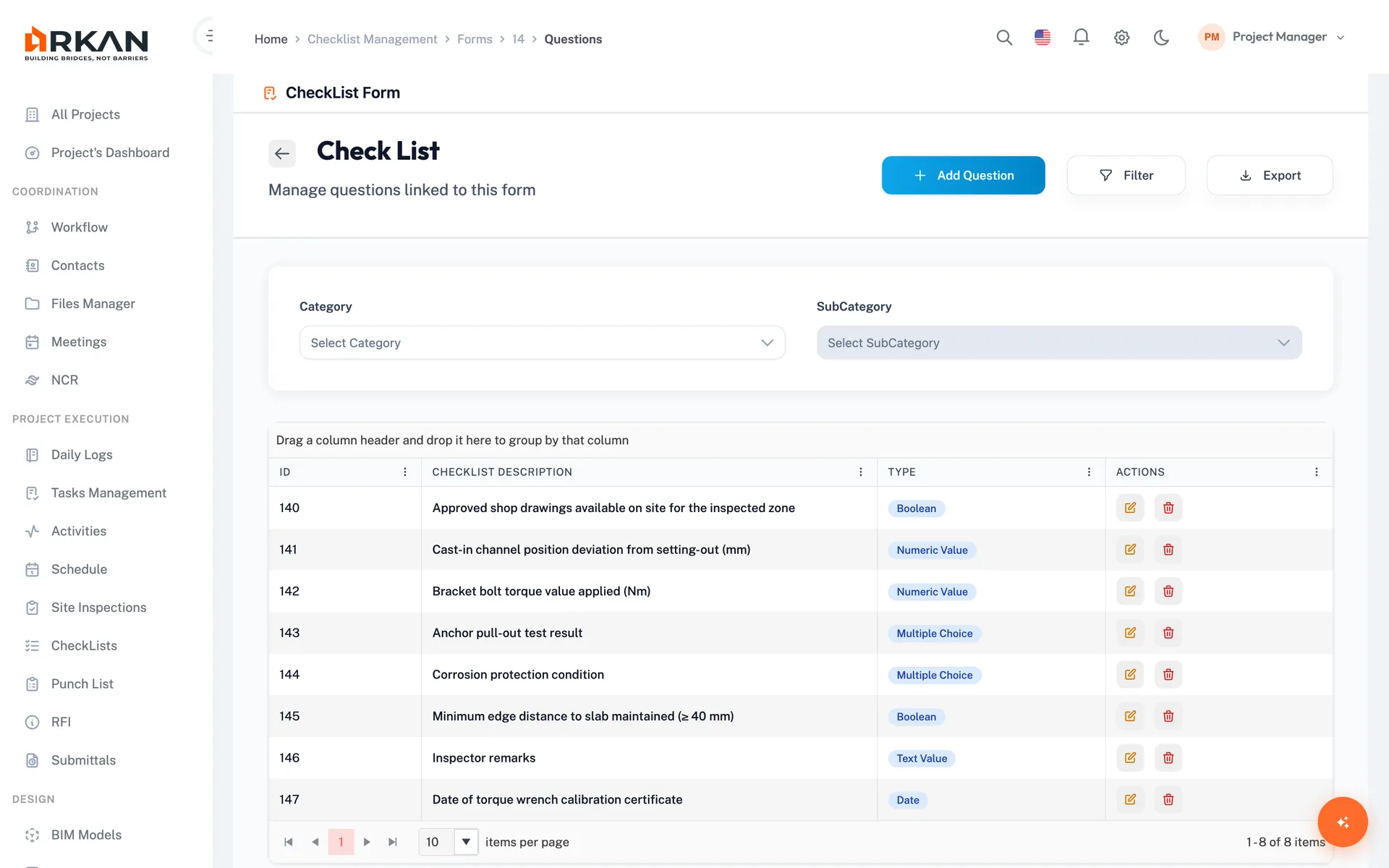
Inspection Verification
See every inspection request, checklist result and approval status as it moves through the workflow.
You know what has been inspected and approved.
- Inspection dashboard with status charts
- Checklist results for each request
- PDF inspection reports
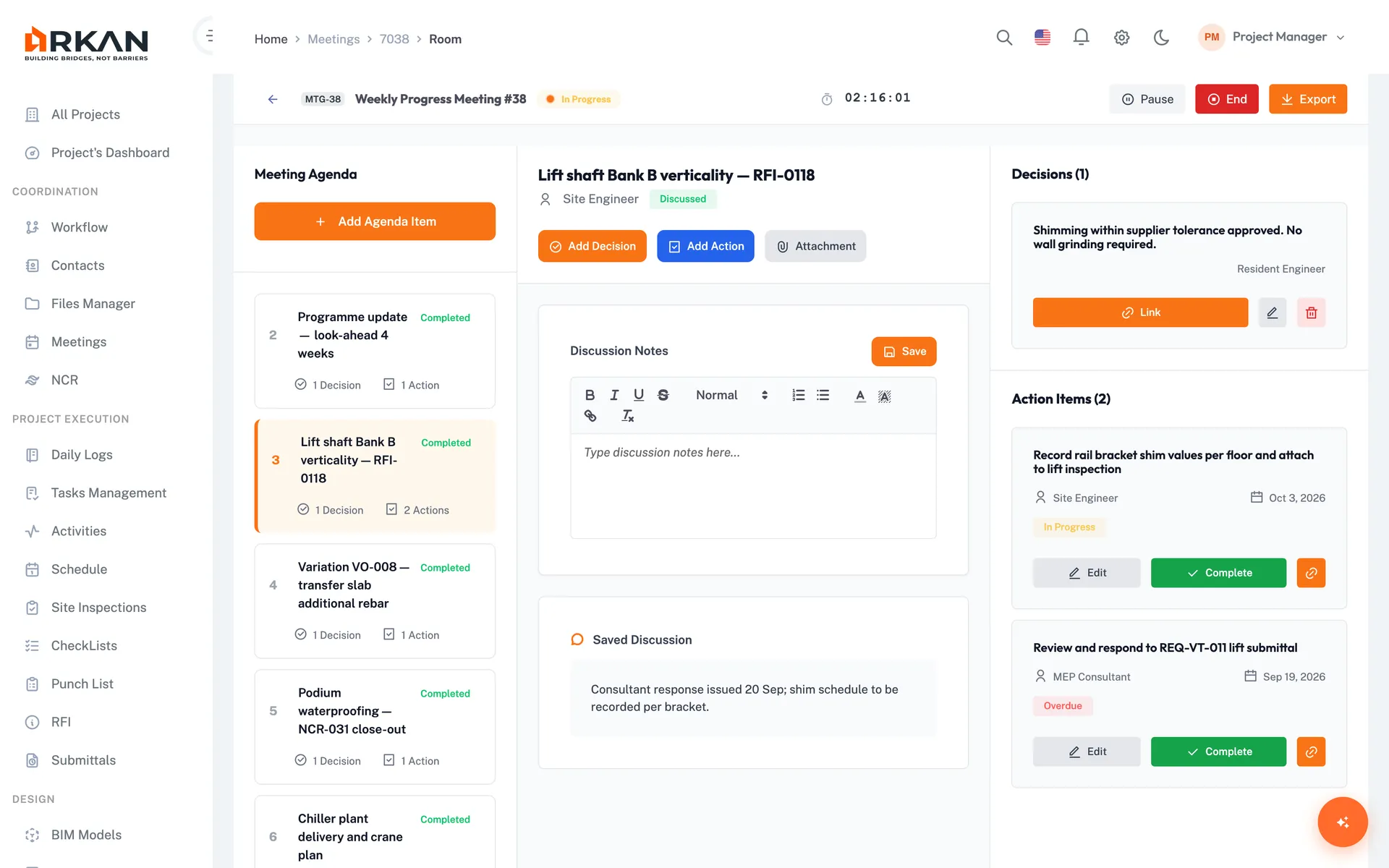
Meetings & Minutes
Run meetings with QR attendance, record decisions and action items, and issue official minutes as PDF.
Actions from meetings are tracked instead of forgotten.
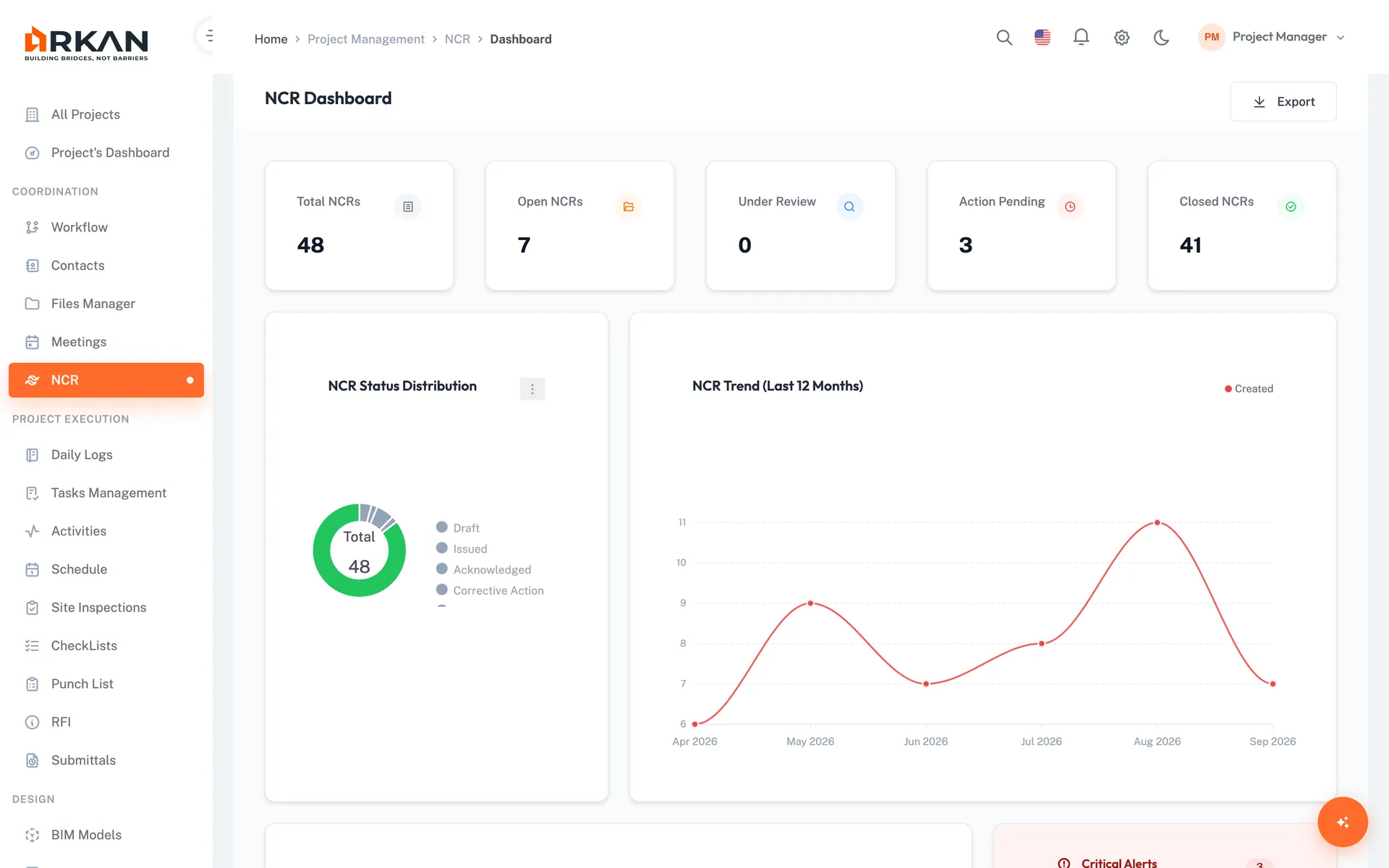
Non-Conformance Reports
Raise NCRs from failed inspections or site observations, link them to drawings with Smart Pins, and track them through a workflow.
Quality issues are tracked to closure.
The Workflows That Matter
Submittal Review
Email attachments, version confusion, lost comments.
One submittal record with its documents, checklist and workflow history.
Requests for Information
Questions lost in email, with no record of who answered what.
Each RFI tracked with its due date, response and history.
Who Uses Arkan
Role | How They Use Arkan |
|---|---|
| Managing Partner | Projects grid, project dashboards, approval status |
| Resident Engineer | Site inspections, approval tracking, daily logs |
| Design Reviewer | Submittal review, RFI responses, clash results |
| Discipline Lead | BIM models by discipline, clash detection, RFIs |
| Project Coordinator | Submittal tracking, document management, schedules |
| Client Liaison | Meeting minutes, dashboard reviews, workflow escalations |
Getting Started
We help you set up, import your data and train your team.
What's Included
Guided Setup
Configuration, data import and training
Integrated Modules
Submittals, inspections, BOQ, finance, schedule, BIM and more
Bilingual
Full Arabic (RTL) and English interface
Got Questions? We've Got Answers.
Yes. The BIM module lets you upload IFC models by discipline, view them in 3D, run clash detection between models, and create RFIs linked to a saved 3D viewpoint.
Yes. Grids can be exported to Excel or PDF, and modules such as submittals, inspections, punch lists and meetings produce PDF reports you can share.
Smart Pins can be placed on project drawings and linked to non-conformance reports. Tasks, RFIs and meeting action items can also reference the drawings they concern.
Learn moreArkan works for small teams as well as large practices. Pricing depends on your needs, so contact us for a quote.
Not Ready to Start?
Try these resources first
Modules consultants use most
- SubmittalsReview shop drawings and materials in multi-step cycles
- RFIsAnswer RFIs and record the official response
- InspectionsInspection requests with digital signature
- MeetingsAgenda, decisions, actions and PDF minutes
- BIMIFC viewer, clash detection and RFIs from the model
- DrawingsPin issues on drawings