Non-Conformances Without Context or Follow-Up
- 1NCRs are kept in Word or Excel with no link to the inspection, drawing or specification they concern
- 2Nobody can see which corrective actions are overdue or which company owns them
- 3Work under an open NCR can still be valued because the BOQ item was never flagged
Arkan Non-Conformance Reports (NCR) Capabilities
Structured NCR Form
Capture the title, trade (Work Quality, Material, Document, Process, Safety or Other), source, severity (Minor, Major or Critical), responsible company and engineer, evidence files, and the requested corrective action with due dates. Link an inspection, specification or drawing.
Smart Pins on Drawings
Select a drawing and link the NCR to a Smart Pin at the exact location, from the inline preview or a full-screen pin viewer.
BOQ Lock
Link a BOQ item to the NCR. When the NCR is issued, the item is locked against cost changes until the NCR is resolved, and the lock is recorded on the timeline.
Lifecycle & Workflow Requests
Issue, acknowledge with a root cause, start corrective action, submit for verification, then verify and close or return for rework. NCRs can also run through configurable approval workflows, with reviewers acting from a workflow request page.
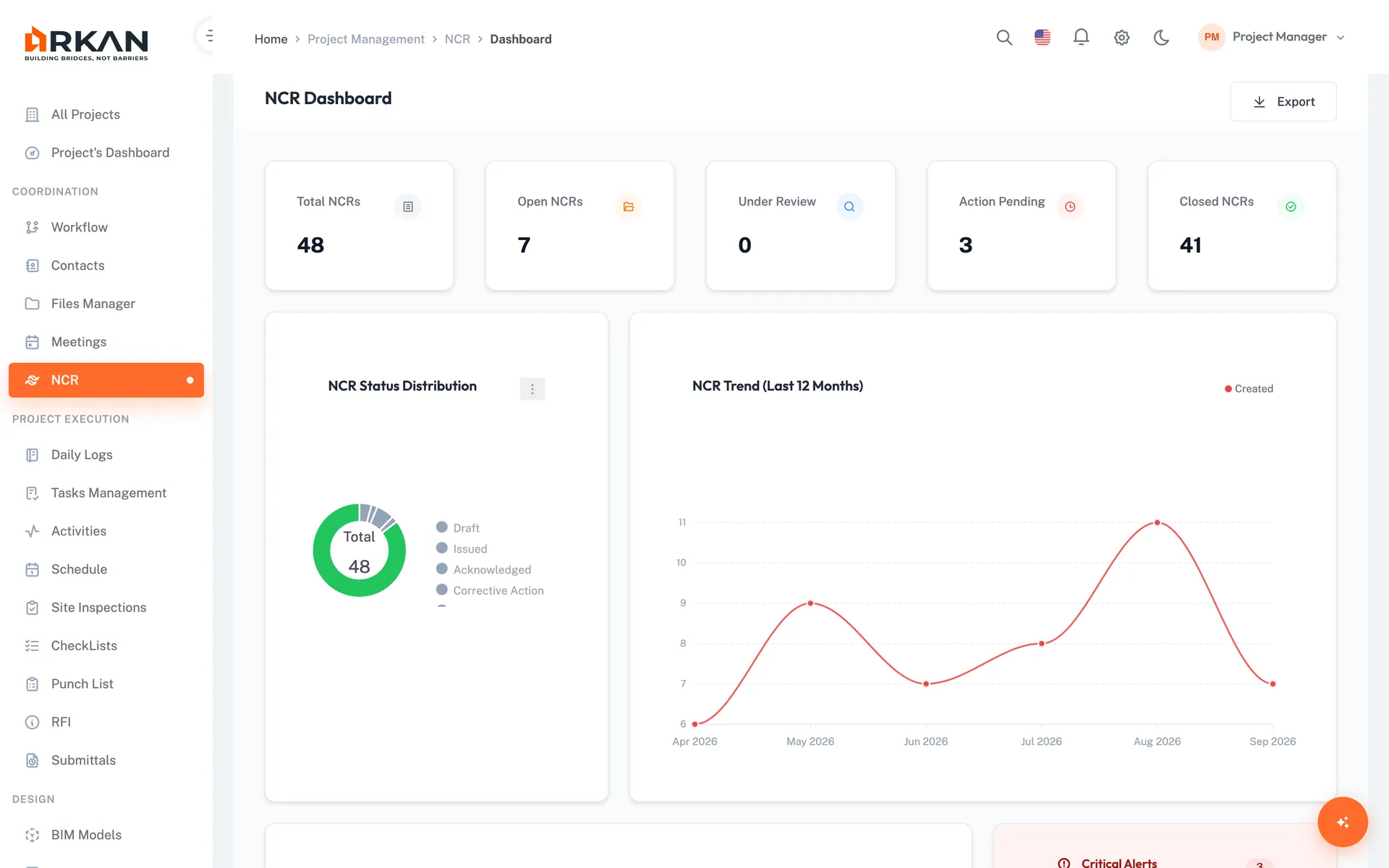
NCR Dashboard
KPI cards, status distribution, a 12-month trend, open and overdue NCRs by company, and a critical alerts panel for overdue and critical NCRs.
Export
Export the NCR list to Excel and print an individual NCR report from its detail page.
Simple 4-Step Process
Raise: Complete the form, attach evidence and link a pin, BOQ item or inspection
Issue: Issue the NCR to the responsible company; the linked BOQ item locks
Correct: The company acknowledges with a root cause and carries out the fix
Verify: Close with a resolution type, or return it for rework
At a Glance
Severity Levels
3
Minor, Major and Critical, colour-coded
Resolution Types
4
Rectify, Remove & Replace, Accept with Concession, No Action Required
Linked Records
5
Inspection, Smart Pin, BOQ item, specification and drawing
Works seamlessly with other Arkan features
Non-Conformance Reports (NCR) integrates with Inspection Management, BOQ Management, Specifications and more for a complete construction management solution.
Related Features
Explore other features that work great with Non-Conformance Reports (NCR)