The Quality Gap
- 1Different inspectors use different criteria
- 2Paper checklists don't enforce completion
- 3No follow-up tracking for failed items
- 4Compliance evidence scattered across devices
- 5No connection between checklists and project activities
Arkan Checklist & Quality Control Capabilities
Checklist Forms
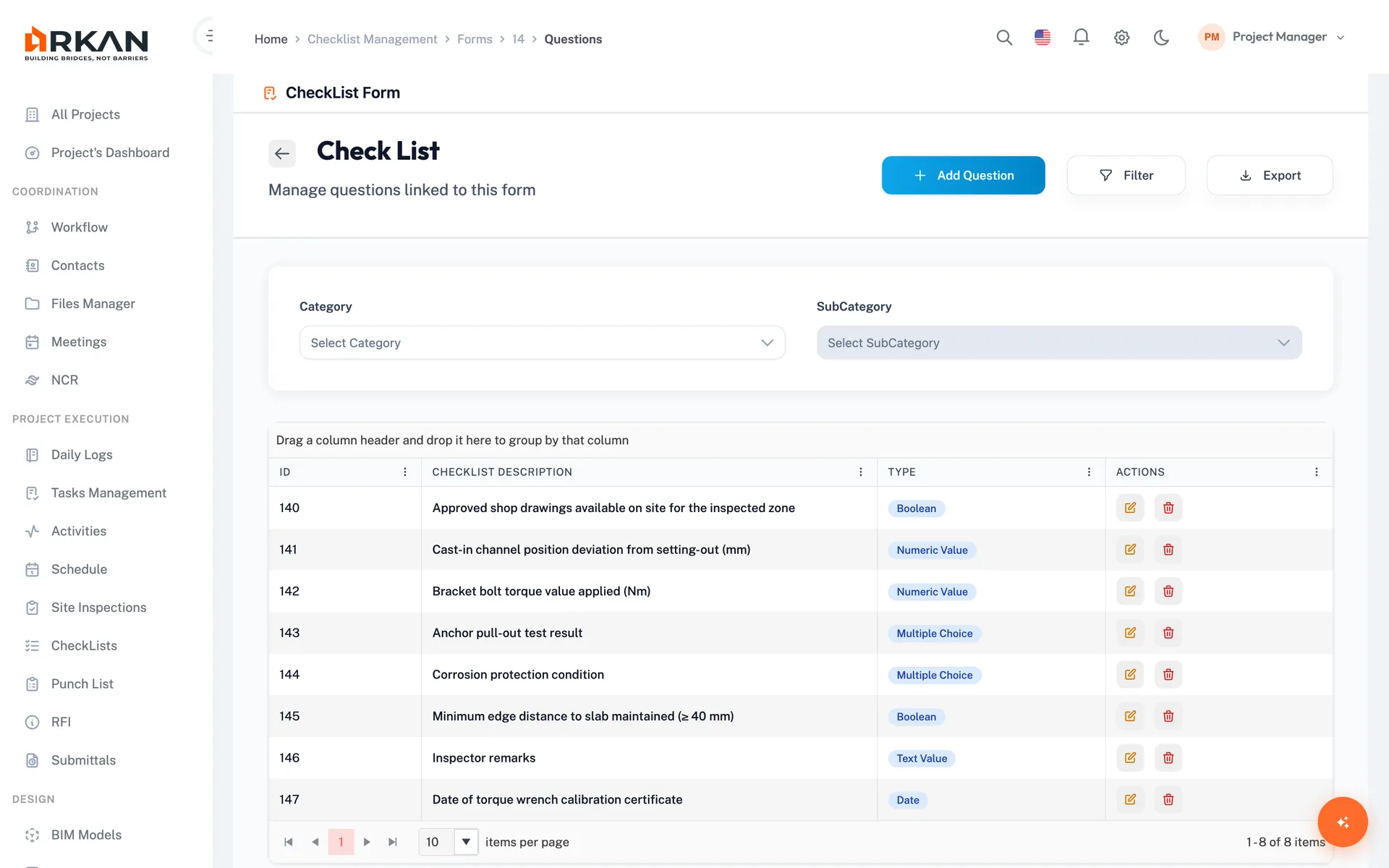
Build forms from a reusable question bank, organized by classification and group
Preview any form before use
Inspection Checklists
Checklist forms completed as a step of every inspection request
Required before an inspection can be sent
Purpose Definitions
Define why a checklist is run: routine inspection, follow-up visit or final verification
Configured once per project
Compare Execution Rounds
Compare answers side by side when a checklist has been run more than once
User, job title, company and highlighted differences
Five Question Types
Boolean (Yes/No), multiple choice (single or multi-select), numeric, text and date
Optional maximum for numeric answers; extra notes on every question
Follow-up Forms
General follow-up forms record checklist answers with the follow-up date
Posted follow-ups become read-only
Simple 4-Step Process
Configure: Build checklist forms from the question bank
Deploy: Link checklists to inspections and other requests
Execute: Answer each question with the matching input type
Follow up: Record follow-up forms and compare results between rounds
At a Glance
Question Types
5
Boolean, multiple choice, numeric, text and date
Question Bank
Reusable
Link the same question to many checklist forms
Result Comparison
Side by side
See how answers changed between rounds
Works seamlessly with other Arkan features
Checklist & Quality Control integrates with Inspection Management, Workflow Engine, Project Dashboard and more for a complete construction management solution.
Related Features
Explore other features that work great with Checklist & Quality Control