The Inspection Challenge
- 1Paper checklists get lost, damaged, or illegible
- 2No connection between inspections and BOQ progress
- 3Prerequisite documents are verified after the fact (or not at all)
- 4Inspection results don't sync with schedule activities
- 5Generating inspection reports requires hours of compilation
Arkan Inspection Management Capabilities
Main Information
Enter the request name, description, distribution activity and inspection date
Phase, area, building, floor and zone auto-filled from the activity
Prerequisites
Review the submittals linked to the inspection's activity and their documents
Download all documents as a ZIP
BOQ
Review the Bill of Quantities items linked to the inspection
BOQ validation before submission
Checklist
Complete every checklist form linked to the inspection before continuing
Boolean, multiple choice, numeric, text and date questions
Primavera Schedule
Review the P6 schedule items linked to the inspection's activity
Activity-linked tracking
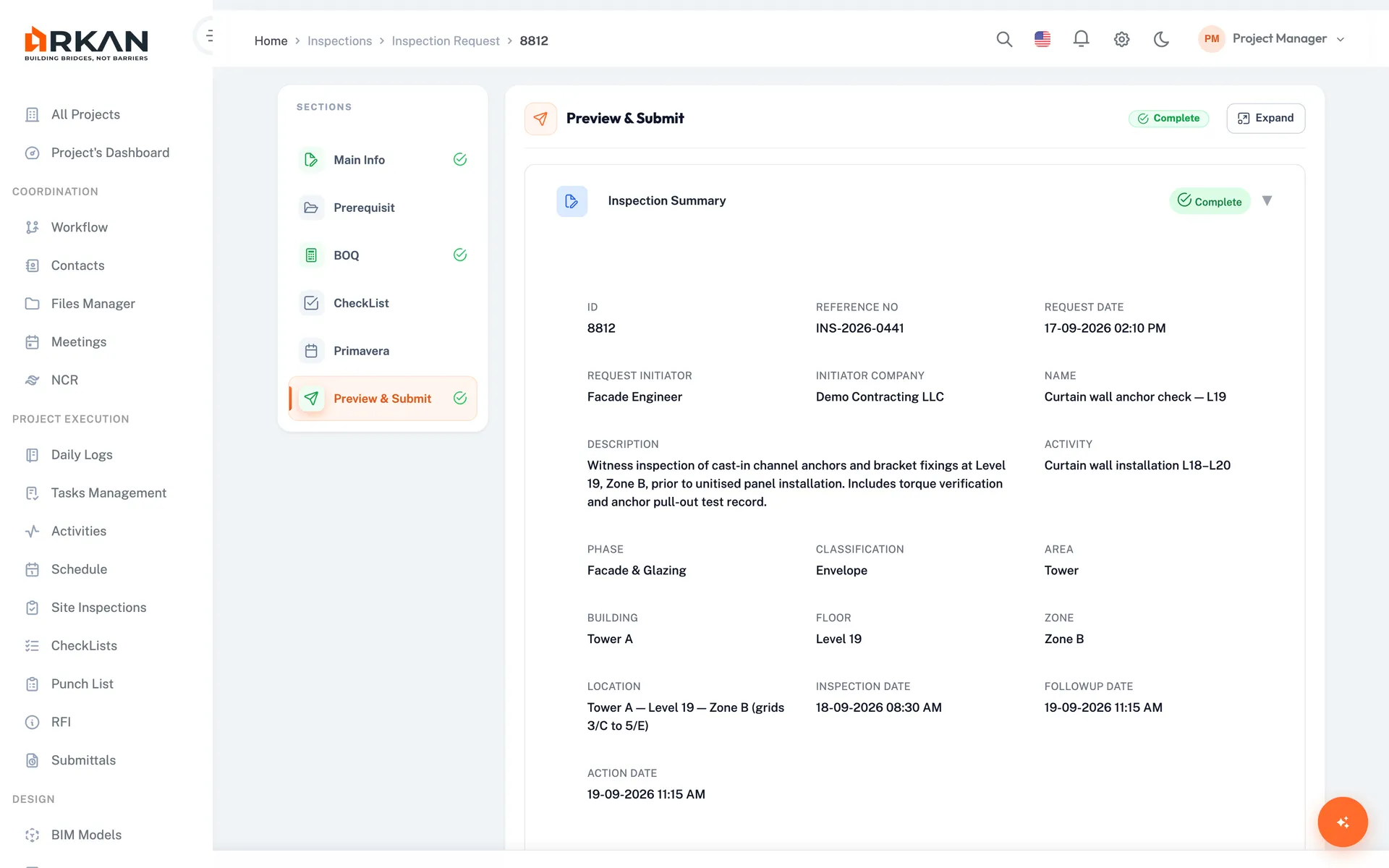
Preview & Submit
Review all summaries and send the request to the approval workflow
Owner digital signature required before sending
6-Step Workflow
Main Information
Request name, activity, location and inspection date
Prerequisites
Review submittal prerequisites and documents
BOQ
Review and validate linked BOQ items
Checklist
Complete all linked checklist forms
Primavera Schedule
Review linked P6 schedule items
Preview & Submit
Sign and send to the approval workflow
Simple 4-Step Process
Create: Define the inspection with activity, location and date
Prepare: Review prerequisites and linked BOQ items
Complete: Fill in the linked checklists and review schedule items
Submit: Sign, send to the approval workflow and generate the PDF report
At a Glance
Workflow Steps
6
Main info, prerequisites, BOQ, checklist, Primavera, preview & submit
Inspection Report
Company logos, checklist results, signatures and approval history
Owner Signature
Required
Send stays disabled until every step is validated and signed
Who Benefits
Site Engineers
Request and track inspections with digital signatures
QA/QC Managers
Standardize checks with checklist forms and review approval history
Consultants
Review requests and approve, return or reject them in the workflow
Contractors
Submit requests with prerequisites, BOQ and checklists in one place
Works seamlessly with other Arkan features
Inspection Management integrates with Quality Checklists, Schedule Management, BOQ Management and more for a complete construction management solution.
Related Features
Explore other features that work great with Inspection Management
Free calculators for this topic
Free to use, no sign-up needed.