The Payment Chaos
- 1Payment requests require manual BOQ calculations
- 2No connection between certified work and payment amounts
- 3Retention and deduction tracking in spreadsheets
- 4Approval workflows happen outside the system
- 5Financial reports require cross-referencing multiple sources
Arkan Financial Management Capabilities
Main Information
Project and contract details (contractor, client, consultant, contract value)
Changing the payment period reloads contract values
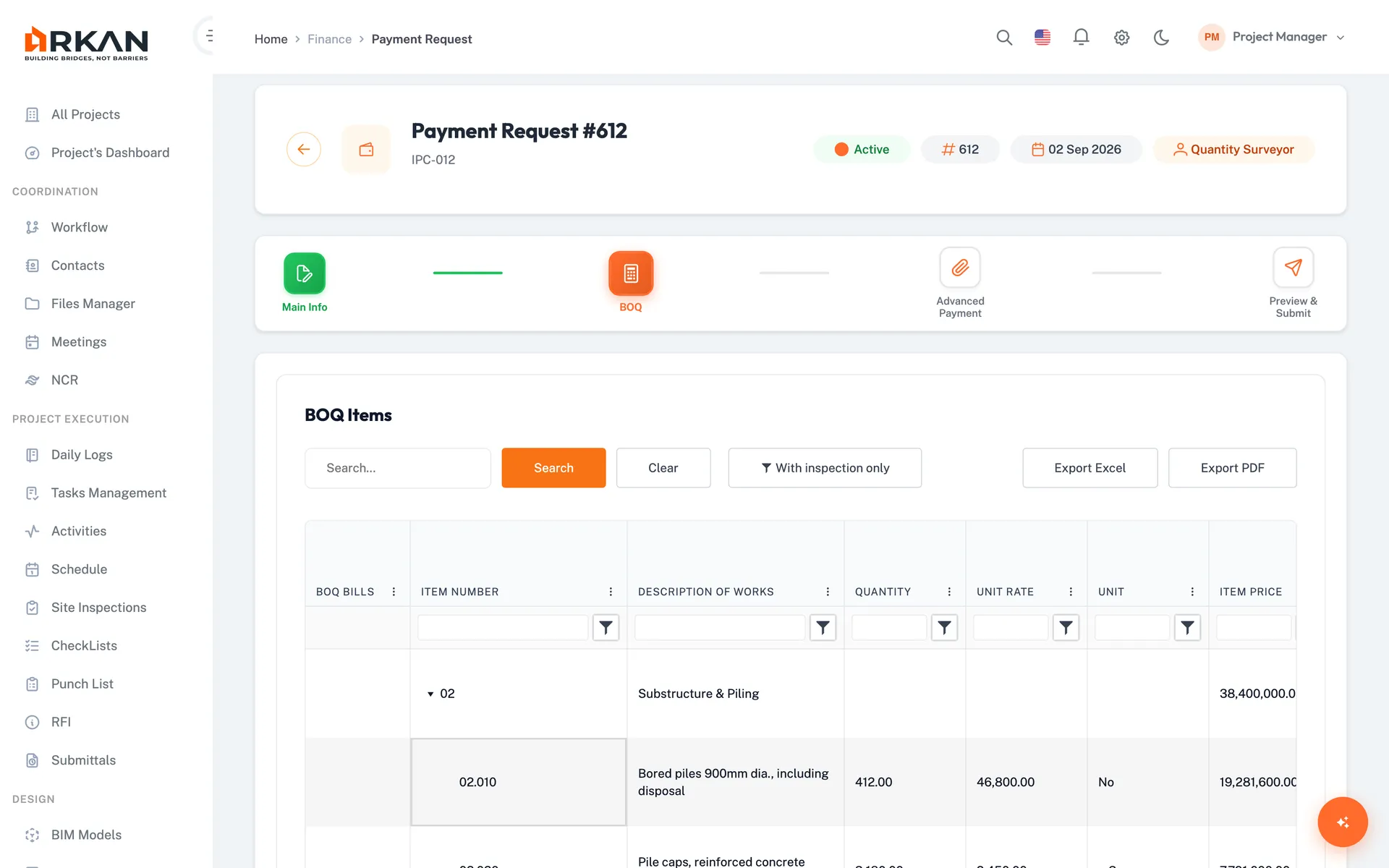
BOQ Selection
Select BOQ items for payment certification
Import progress from inspection reports
Advance Payments
Link advance payments and set recovery amounts for mobilization and material advances
Fixed amount or percentage of contract, with installments
Preview & Submit
Review certificate, BOQ and payment summaries, including retention and VAT deductions
Certification checkbox and digital signature
Inspection Bills
Bill creation with reference tracking
Location hierarchy, activity distribution
Retention Management
Track retention withheld, released and balance, and release the first or second half
2-step release wizard
4-Step Workflow
Main Information
Project and contract details
BOQ Selection
Select items for payment certification
Advance Payments
Link advances and set recovery amounts
Preview & Submit
Certify, sign and submit for approval
Simple 4-Step Process
Create: Start payment request with contract details
Select: Choose BOQ items for certification
Recover: Link advance payments and set recovery amounts
Submit: Certify, sign and send to the approval workflow
At a Glance
Payment Request Wizard
4 steps
Main info, BOQ selection, advance payments, preview & submit
Finance Sub-Modules
4
Inspection bills, payment requests, advance payments and retention
Exports
Excel & PDF
Available on every finance grid
Who Benefits
Finance Teams
Prepare payment requests from BOQ data and route them for approval
Quantity Surveyors
Select BOQ items and import progress from inspections
Contractors
Submit payment claims and track approval status
Developers
Monitor certified amounts, variations and remaining balance per project
Works seamlessly with other Arkan features
Financial Management integrates with BOQ Management, Workflow Engine, Project Dashboard and more for a complete construction management solution.
Related Features
Explore other features that work great with Financial Management