Minutes Arrive Late and Actions Go Untracked
- 1Minutes are typed up days after the meeting, and each company keeps its own version
- 2Action items agreed in the room are lost in email and never followed up
- 3Unresolved topics have to be copied into the next agenda by hand
Arkan Meetings & Minutes Capabilities
Agenda & Templates
Start from a blank meeting, a template or a previous meeting whose open items carry forward. Attendees propose agenda items to a pool for the organizer to accept, reject and order. Templates hold agenda items, default attendees and settings, per project or across all projects.
Attendance & QR Check-In
Mark attendees Present, Absent, Late or Left Early with arrival and departure times, mark everyone present in one step, or generate a QR code that attendees scan with the Arkan mobile app to check in.
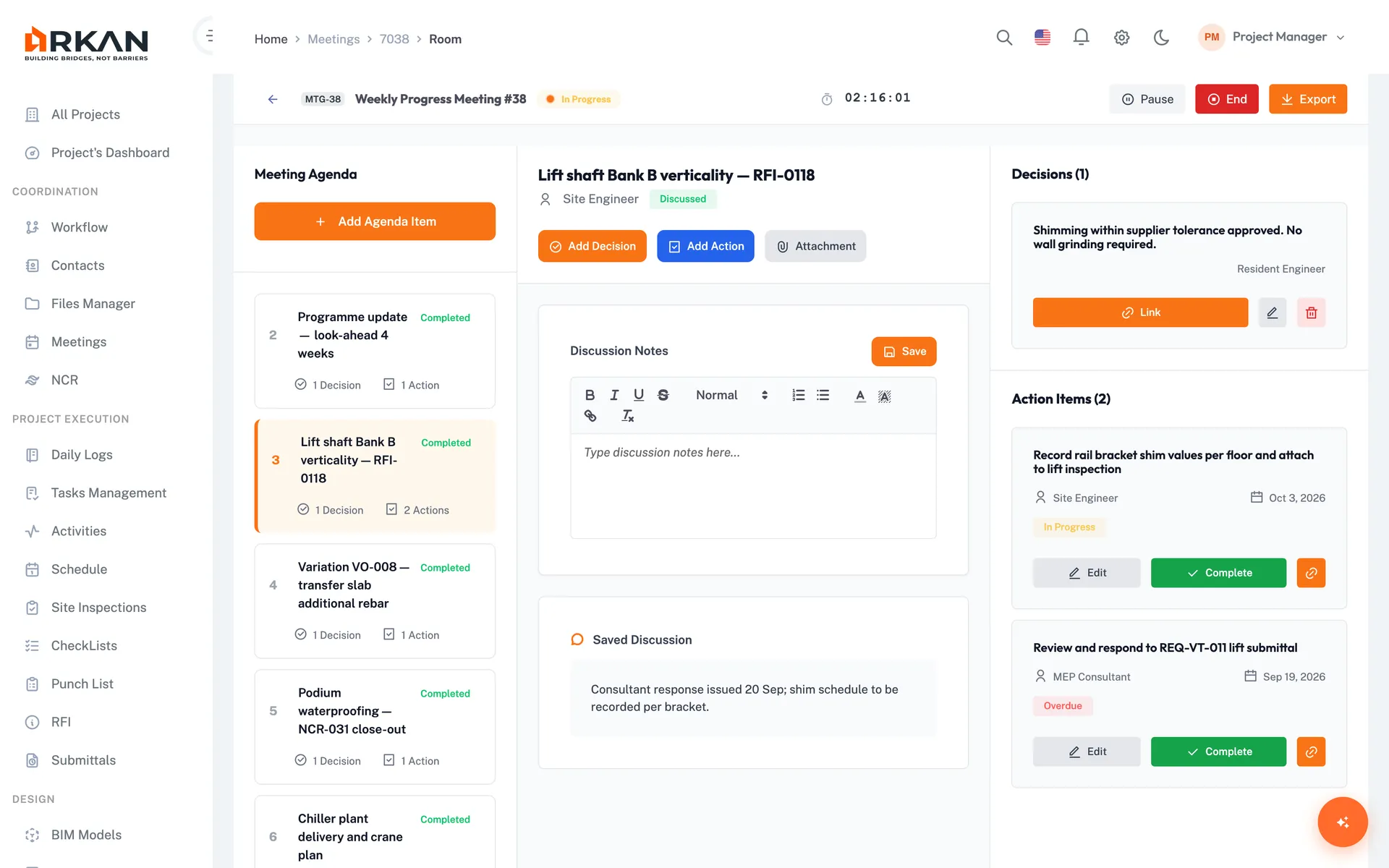
Live Meeting Room
A three-panel room with the agenda, discussion notes for the current item, and a running summary of decisions and actions. A timer tracks the meeting, with pause and resume.
Decisions Register
Record decisions per agenda item as Approved, Rejected, Deferred, For Information or Action Required, tag the impact on cost, schedule, quality, safety or scope, and keep every revision.
Action Items Tracker
Give each action an owner, due date and priority, track them across all meetings with an overdue filter, carry them forward, and link them to a task, RFI, submittal, punch item, inspection or drawing.
Three-Tier Minutes
Official minutes move from Draft to Final to Locked, with versions and PDF export. Each company keeps its own minutes, which the organizer can include in the official record, and attendees can keep private internal notes.
Calendar & ICS Download
See meetings in month, week or day view, colour-coded by status, schedule recurring meetings, and download an ICS file for your own calendar.
Simple 4-Step Process
Schedule: Create the meeting from a template or carry forward open items
Invite: Add attendees with roles and share a QR code for check-in
Run: Work through the agenda in the meeting room, recording decisions and actions
Publish: Finalize and lock the official minutes and export the PDF
At a Glance
Minutes Tiers
3
Official minutes, company minutes and private internal notes
Meeting Types
10
From weekly site meetings to kick-off and close-out
Exports
PDF & ICS
Minutes as PDF, meetings as calendar files
Works seamlessly with other Arkan features
Meetings & Minutes integrates with Task Management, RFI & Submittal Management, Workflow Engine and more for a complete construction management solution.
Related Features
Explore other features that work great with Meetings & Minutes