Which Clause Is Current?
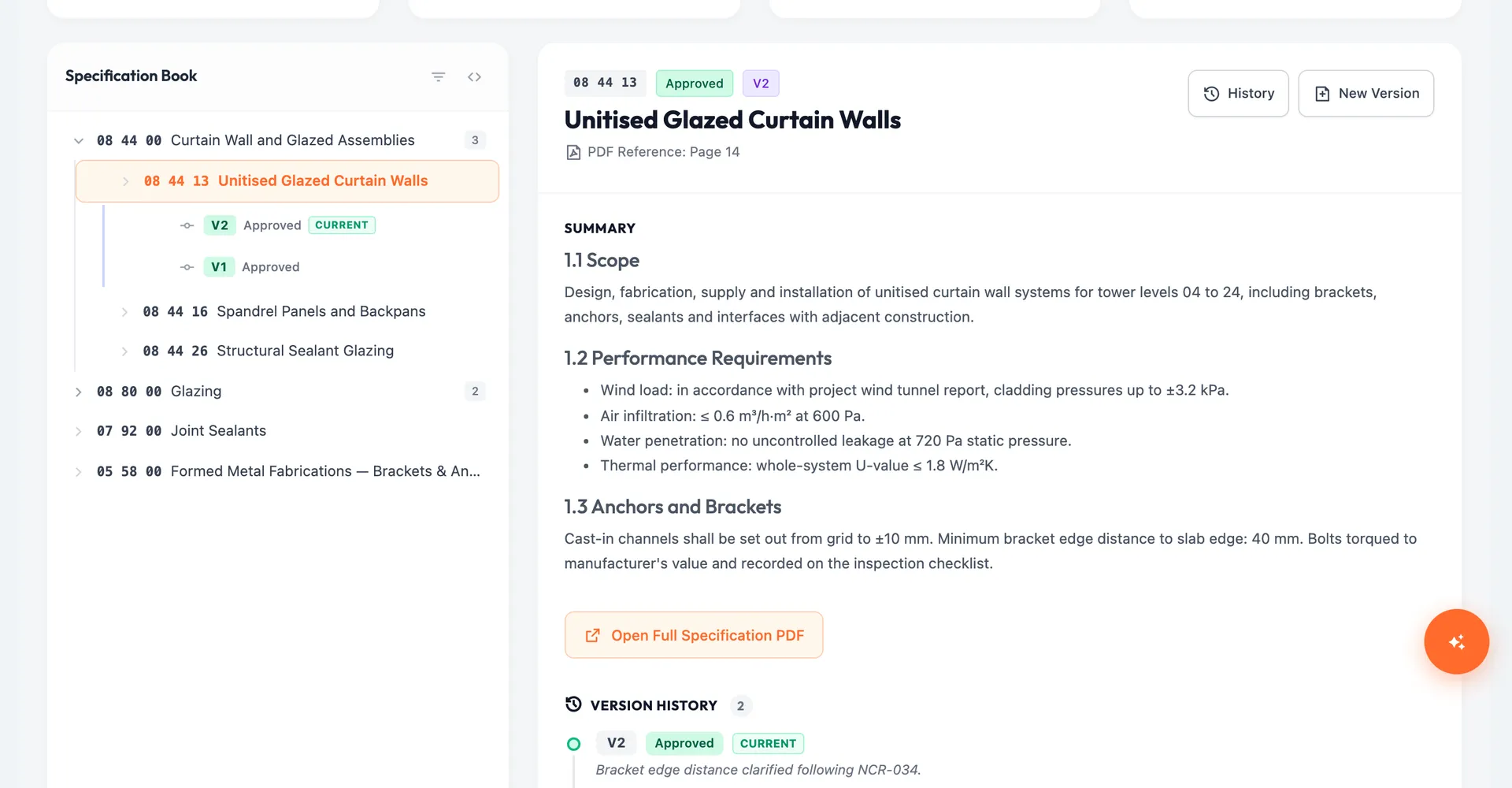
- 1Specifications sit in one large PDF, so nobody is sure which clause is current
- 2Revisions are issued with no record of what changed or who approved it
- 3There is no quick way to see which submittals, RFIs or inspections a section affects
Arkan Specifications Capabilities
Specification Books
One book per trade, such as Architectural or Mechanical, with an optional reference PDF of up to 10 MB. Cards and progress bars show approved and draft sections.
Structure Editor
Build divisions, sections and subsections with codes, titles, PDF page references, rich-text content, acceptance criteria for the QA team and internal notes.
Versions & Approval
Each section version is Draft, Under Review, Approved or Rejected. Users with Approve permission can approve V1 directly; later revisions go through workflow review. Approved versions cannot be edited.
Linked RFIs, Submittals & Inspections
Link sections to submittals, RFIs and inspections from within those modules. Each section shows how many items reference it.
Structured Clauses
The detail page splits a section's content into numbered, collapsible clauses and lists its subsections.
Simple 4-Step Process
Create: Add a specification book for a trade and upload the reference PDF
Structure: Build divisions, sections and subsections in the tree editor
Approve: Approve V1 or submit revisions for workflow review
Link: Connect sections to RFIs, submittals and inspections
At a Glance
Version Statuses
4
Draft, Under Review, Approved and Rejected
Link Types
3
Submittals, RFIs and inspections
Approved Versions
Locked
Changes need a new revision
Works seamlessly with other Arkan features
Specifications integrates with Submittals, RFI & Submittal Management, NCR and more for a complete construction management solution.
Related Features
Explore other features that work great with Specifications