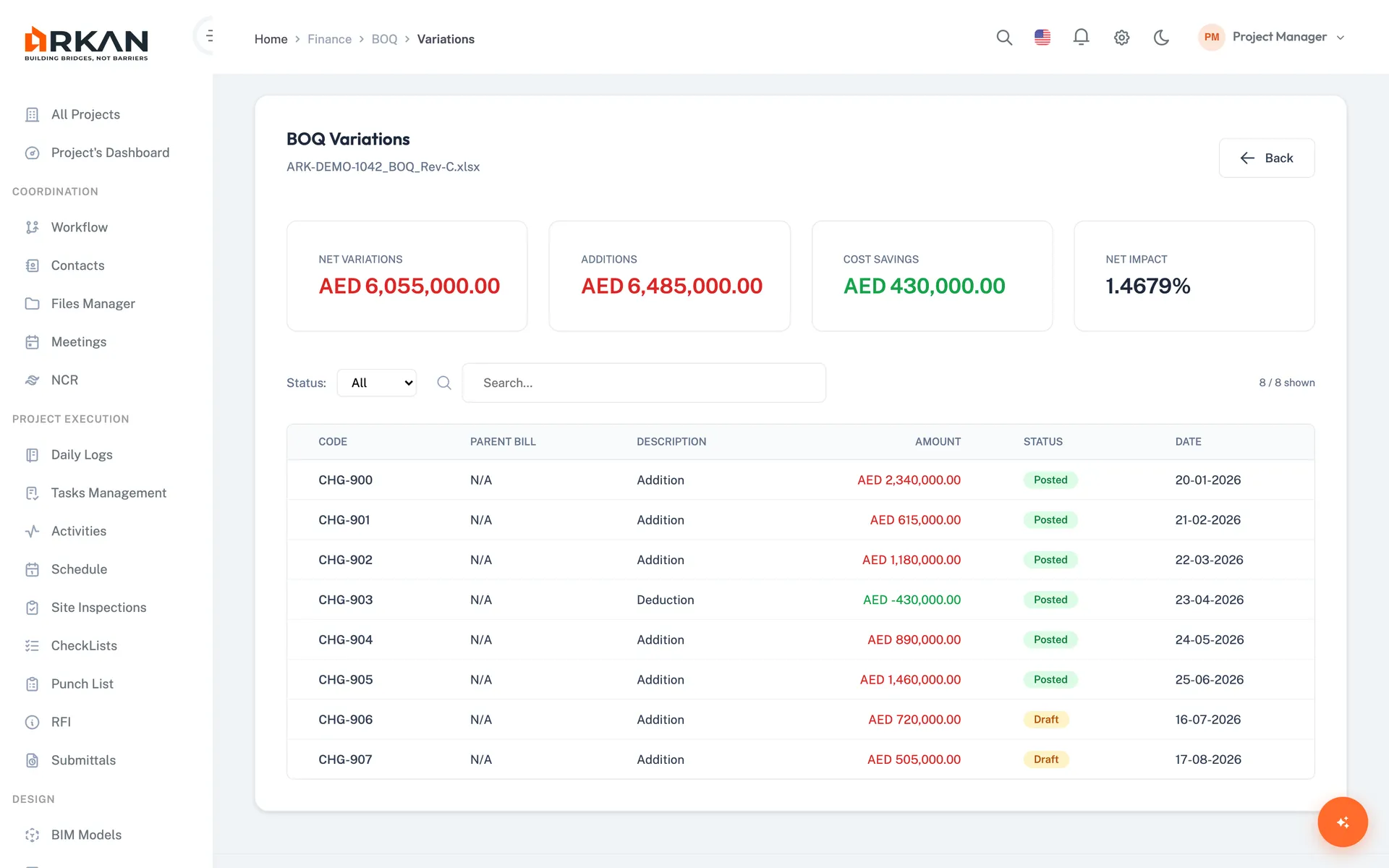
The Variation Tracking Problem
- 1Variations are tracked in spreadsheets with no link to the original BOQ item
- 2Nobody can say which variations are approved, pending or rejected without asking around
- 3Disputed variations escalate because there is no clear record of who approved what and when
Arkan BOQ Variation Management Capabilities
Variations on BOQ Items
Add a variation to any BOQ item with description, type (addition, adjustment or omission), quantity and unit rate. The variation value is calculated automatically.
Approval Workflow
New variations start as Pending and go through the configured approval chain. Approve or reject in bulk, and discuss in the comments section.
Value Impact
See original vs. net revised value for each item, value impact by additions, omissions and adjustments, and a side-by-side comparison with the original.
Dashboard Variation Widgets
The project dashboard shows modified budget, change percentage, variation amount, number of requests, and additions vs. deductions.
Simple 4-Step Process
Add: Record a variation on a BOQ item with type, quantity and rate
Review: The variation enters the approval workflow as Pending
Decide: Approvers approve or reject, individually or in bulk
Monitor: Track value impact on the item and on the project dashboard
At a Glance
Variation Types
3
Addition, adjustment and omission
Approval Status
Per variation
Approved, pending or rejected, shown on each item's progress bar
Reports
Excel & PDF
Variations report with approval status
Works seamlessly with other Arkan features
BOQ Variation Management integrates with BOQ Management, Financial Management, Workflow Engine and more for a complete construction management solution.
Related Features
Explore other features that work great with BOQ Variation Management