What Is a Work Breakdown Structure (WBS) in Construction?
A Work Breakdown Structure (WBS) is a hierarchical breakdown of the total scope of a project into smaller, manageable parts, from the whole project down to work packages. Each element has a code, so that schedule, cost and responsibility can all be tied to the same structure.
What is a WBS in construction?
A WBS divides what has to be delivered, not how long it takes. The top level is the project; the next levels might be phases, buildings, floors or disciplines; the lowest level is a work package that someone can plan, price and control. A common rule is that the WBS should cover 100 percent of the scope, with no overlap between elements.
Purpose of a WBS
A shared structure keeps the project's numbers consistent:
- Schedule: activities in the programme are grouped under WBS elements.
- Cost: BOQ items and budgets can be grouped by the same codes to see cost by area or discipline.
- Responsibility: each element can be assigned to a person or subcontractor.
- Reporting: progress rolls up from work packages to the whole project.
How to create a WBS
Build it top-down:
- Start with the project and break it into the main deliverables (for a building: substructure, superstructure, envelope, MEP, finishes, external works).
- Break each into smaller parts until each package can be estimated and assigned.
- Give every element a unique code that shows its level, such as 1.2.3.
- Check the structure covers the full scope once, then use the same codes in the programme and cost plan.
WBS example
Example: 1 Tower A; 1.1 Substructure; 1.1.1 Piling; 1.1.2 Pile caps; 1.2 Superstructure; 1.2.1 Level 1 slab; 1.2.2 Level 1 columns. Activities such as 'cast Level 1 slab' sit under 1.2.1 and the BOQ items for slab concrete roll up to the same code.
WBS on Gulf projects
Gulf contracts commonly require a Primavera P6 programme, and P6 organises activities under a WBS, so the WBS is usually set up when the baseline programme is prepared. Many employers specify the WBS structure or coding they want in the programme specification, so confirm it before building your own.
How Arkan uses the WBS
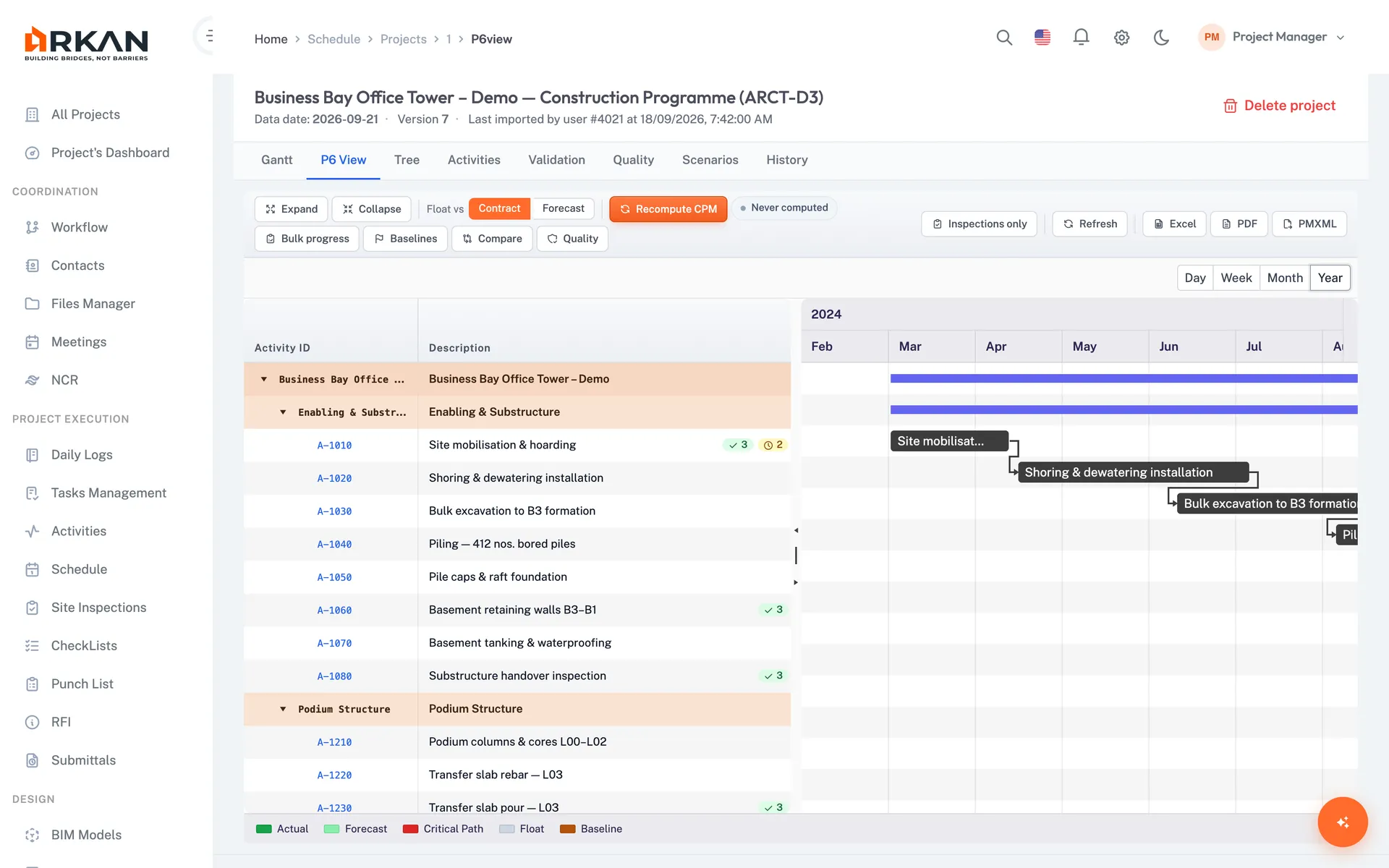
Arkan reads the WBS that already exists in your Primavera schedule and in your BOQ, and shows it where teams make decisions.
- Schedule grid shows each activity's WBS code, and activities can be grouped by WBS and searched by it.
- The BOQ dashboard shows cost distribution by WBS section and filters items by section.
- Primavera files (.xml or .xer) are uploaded to the Schedule module, with Gantt and Grid views.
- Arkan does not build a WBS for you; create it in your planning tool and import it.
Frequently asked questions
What is the WBS full form?
WBS stands for Work Breakdown Structure. It is a way to split project scope into smaller parts, each with a code.
What is the difference between a WBS and a schedule?
A WBS shows what the project consists of. A schedule shows when activities happen. Activities in the schedule are grouped under WBS elements, but the WBS itself has no dates.
How many levels should a WBS have?
Enough to plan and control the work, without making it unwieldy. Three to five levels is common for building projects, but there is no fixed number.
How does a WBS relate to a BOQ?
They are two views of the same scope. The BOQ lists measurable items with quantities and rates. Grouping BOQ items by WBS element lets you see cost by area, phase or discipline and compare it with the programme.
Related terms
Related calculators
Read next
Last updated: 2026-10-13. Definitions are general guidance. Your contract and project procedures govern.