Free RFI Form: Request for Information Template
A one-page Request for Information form for site teams. It captures the question, the documents it refers to, the date you need an answer and the recorded response. Available as Excel and PDF in English and Arabic.
Download the template
Preview
A preview of the template layout. The files have more blank rows and, in Excel, working formulas and drop-downs.
Request for Information (RFI) Form
- RFI no.
- Date raised
- Project
- To (addressee)
- From
- Response required by
- Discipline
- Priority
- Normal / High / Urgent
- Drawing / spec. reference and revision
- Contract clause (if any)
Subject
Question / description of the issue
Proposed solution (optional)
Impact if the answer is late (programme / cost)
Attachments (sketches, photos, marked-up drawings)
Response
- Responded by
- Date of response
- Official response?
- Yes / No
- Date closed
What is included
- Header: RFI number, date, project, addressee, sender, response date, discipline, priority and references
- Sections for the question, proposed solution, impact if late and attachments
- Response section with who responded, date, whether it is the official response and closing date
- Priority and official-response drop-downs in the Excel file
How to fill it in
- Give the RFI a unique number and the date, and say who it is addressed to.
- Quote the drawing or specification, the revision and the detail the question refers to.
- Write one clear question. Attach a sketch or photo if it helps.
- Add a proposed solution if you have one, and state what is affected if the answer is late.
- When the answer arrives, record who answered, the date and whether it is the official response, then close the RFI.
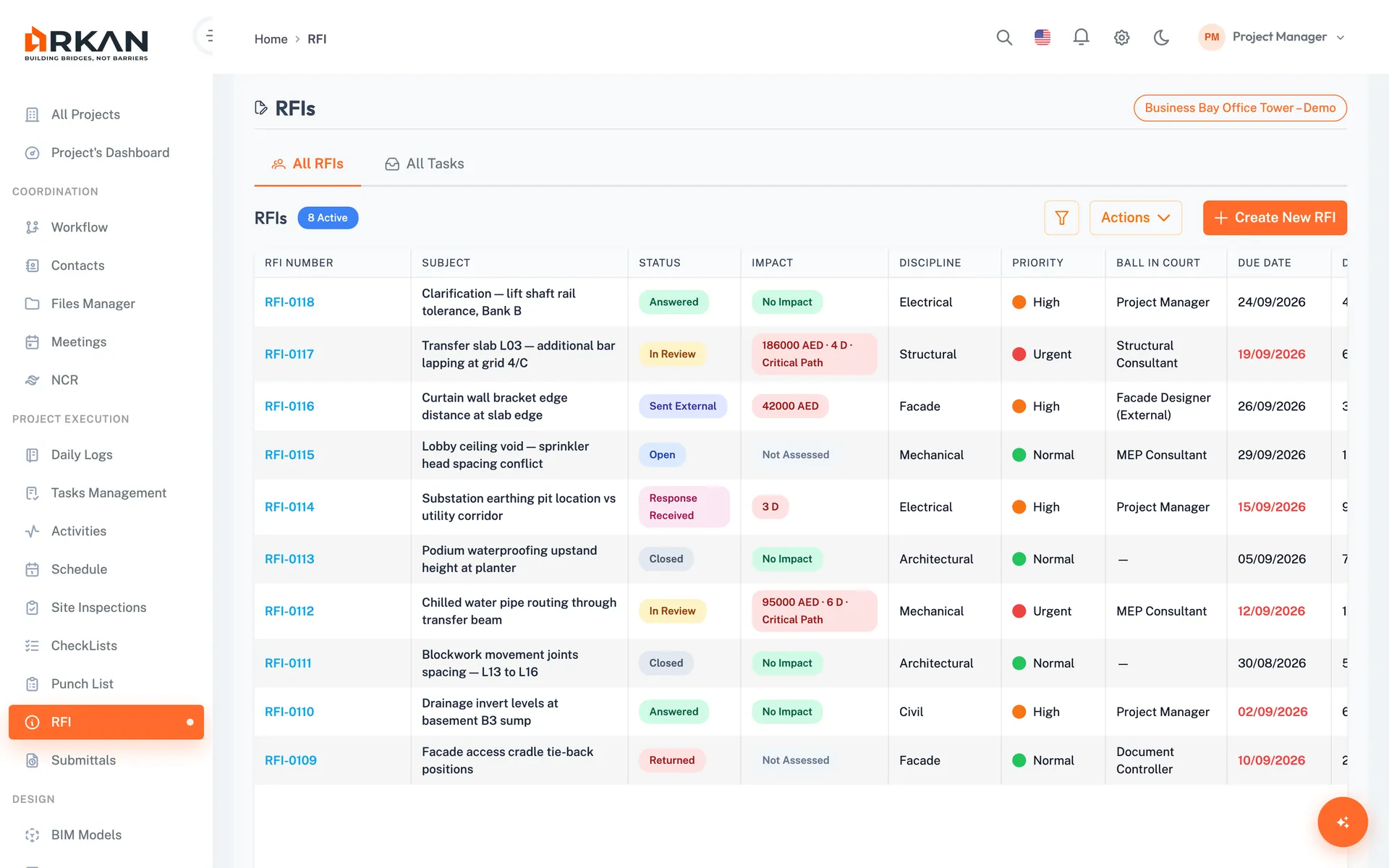
Do this without spreadsheets: Arkan RFI management
Arkan's RFI module keeps each question, response and status in one record instead of a log of forms and emails.
- Draft, send through a workflow or to external contacts, and track status
- Internal and external responses, with one marked official
- Priority levels and Excel export of the RFI list
Related templates
Last updated: 2026-10-13. This is a generic template, not tied to a specific contract. Adapt it to your contract and project procedures.